

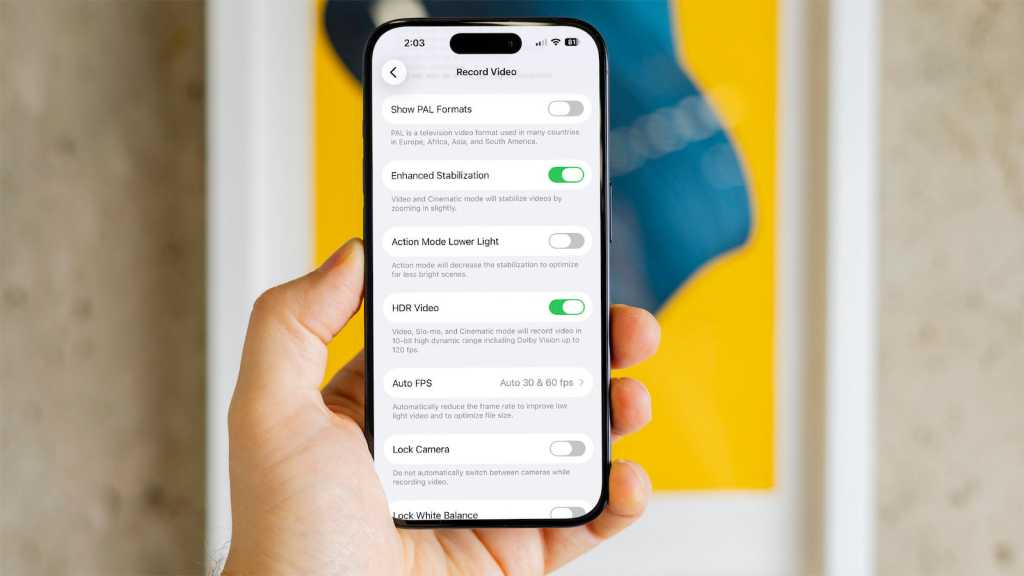

When it comes to mobile devices, there are still only two main alternatives, and the iPhone (with iOS) and Android each have their own, distinct advantages. I’ve been using both platforms since the beginning and even had a chance to test out Android devices at the Google headquarters long before their release. I own both an iPhone and a Pixel that I use daily.

I’ve noticed that a few features still work better on the iPhone, sometimes because the ecosystem is closed or more tightly controlled and sometimes because iOS is just easier to use for some functions. I don’t prefer one OS over the other and see the benefits of each.
However, Android does still have some work to do when it comes to a handful of features, including these.
1. Settings options can be more technical or hard to find
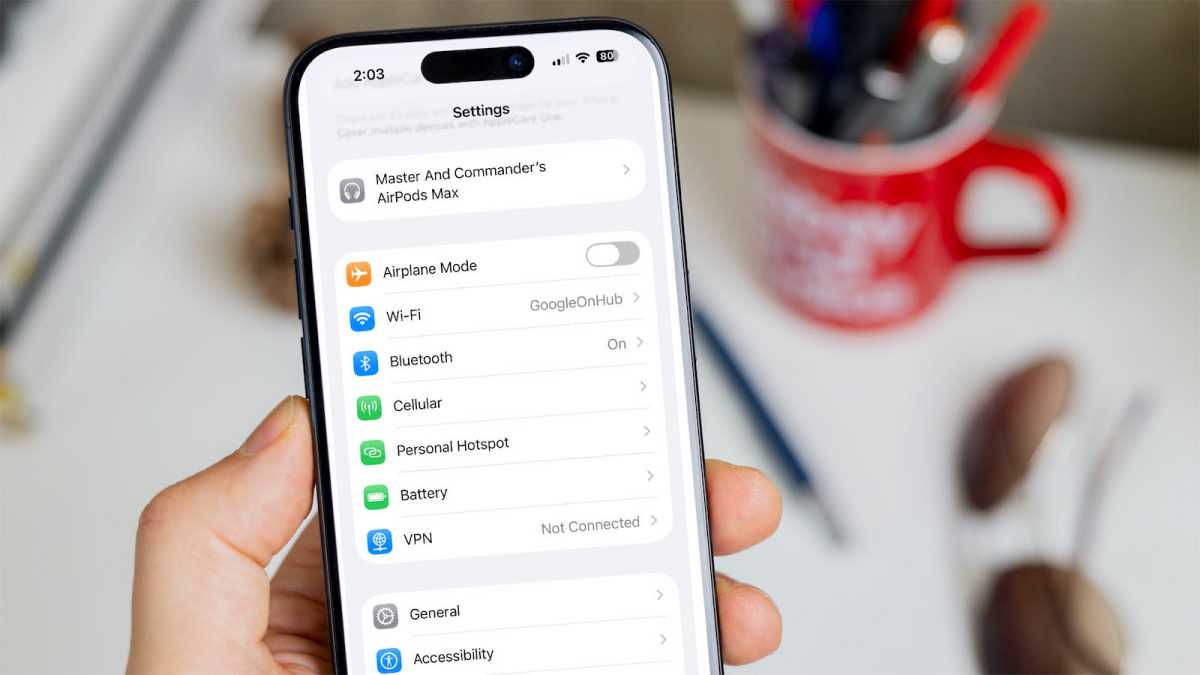
Android is arguably more customizable and has deep technical features, but that also makes it more complicated when it comes to settings. Options abound, but they’re sometimes buried in menus or poorly named. One quick example is setting up a hotspot. It’s not hard on Android, but it’s definitely easier on an iPhone.
Dominik Tomaszewski / Foundry
On the main iPhone settings screen, there’s an option called Personal Hotspot. You just enable it.
On Android, you have to select Network & Internet first, which might not be an obvious place to find the hotspot, especially when you’re in a rush. Plus, the hotspot feature can vary between Android devices/carriers and isn’t consistent. Also, some settings are not searchable as they should be, such as Quick Share. It’s buried in a menu instead.
2. On Android, spam call screening requires more setup and varies by carrier
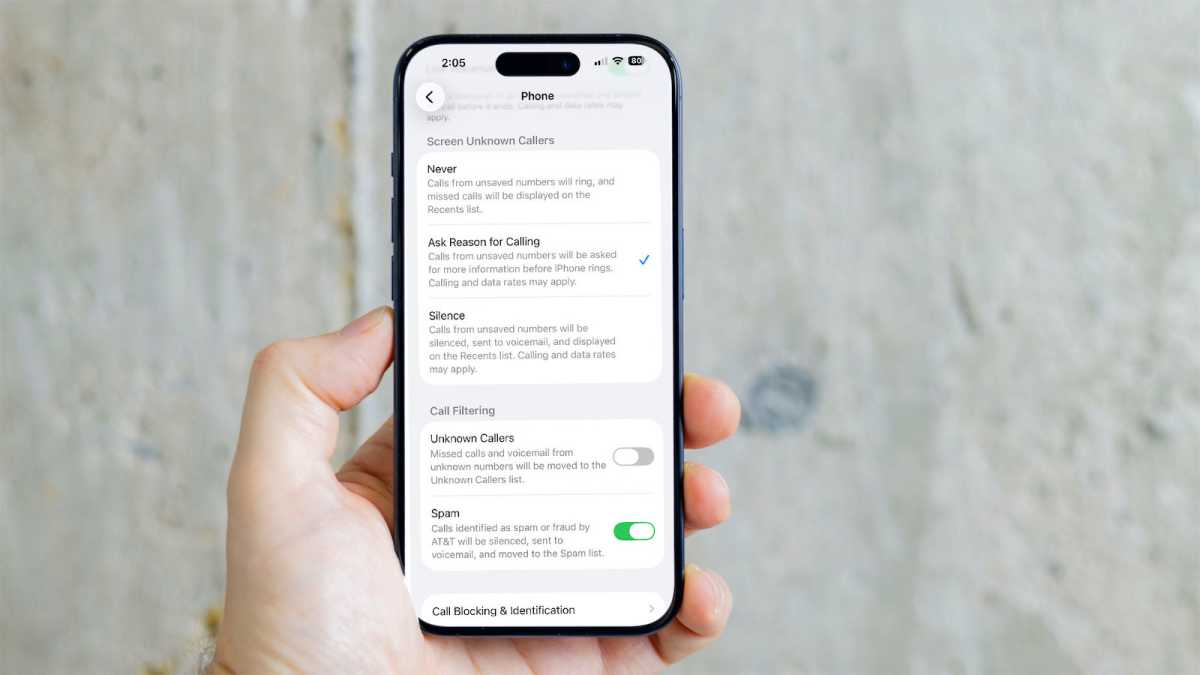
Call screening on Android is hit or miss. On a Google Pixel 10 Pro XL, the setup took several minutes and required downloading an AI-related feature first. On some older Android phones from Samsung and with some wireless carriers, it may not work at all.
Google’s Call Screen is exclusive to Pixel phones, according to company reps I contacted – one reason it’s hard to know if it will work.
Dominik Tomaszewski / Foundry
With the latest iOS release, call screening just works. It asks the caller to say their name as a way to reduce the number of spam calls you get. For me, it’s worked extremely well. That said, when it does work, Pixel phones now use Google Assistant and AI to ask more questions to more effectively root out spam calls.
3. iPhone video stabilization is better
Video features vary greatly depending on which phone you use, and that even applies to the iPhone. The latest iPhone 17 Pro, for example, has excellent video stabilization but older models might not work as well. In my tests, video stabilization worked better on an iPhone 17 Pro than a Pixel 10 Pro XL phone.
When enabled during a test where I was walking behind someone, the iPhone used sensors and software to make the video look smooth. With the Pixel 10, although there are video stabilization features, the resulting video didn’t have the same smoothness.
4. Launch apps work better or are only available on iPhone
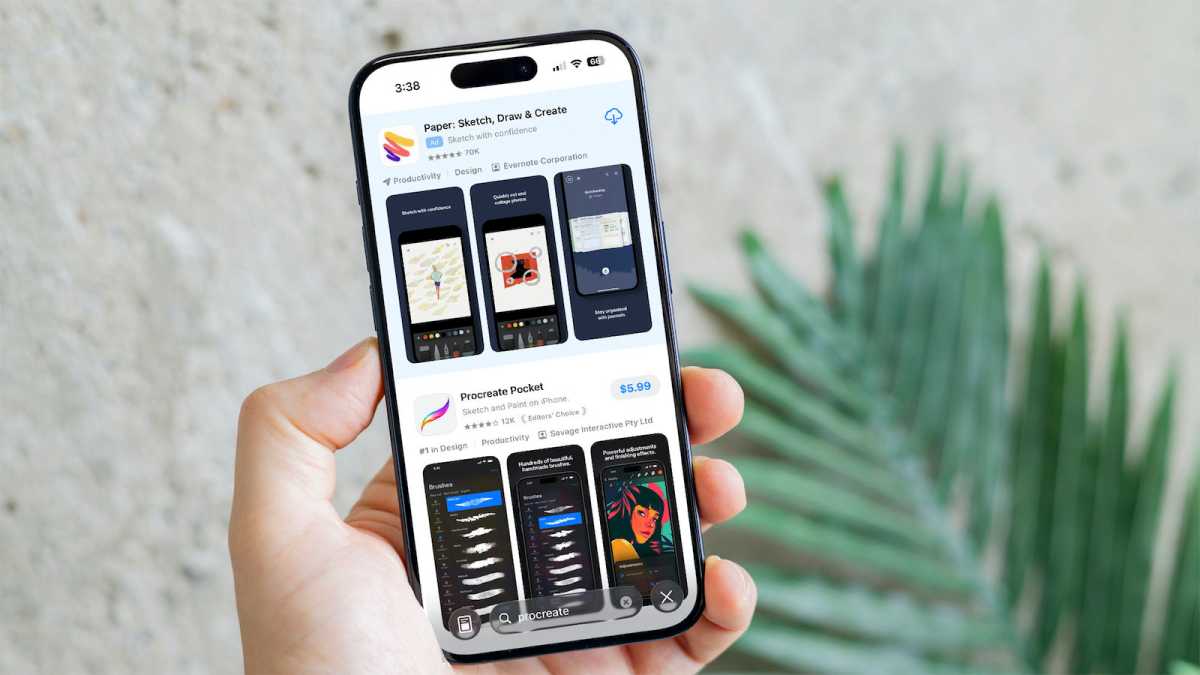
This differentiator has become less and less noticeable over the years, but there are still launch apps that (annoyingly for Android users) debut on the iPhone and only later become available on Android. The most glaring example from a few years ago is Clubhouse, the audio chat app that came out in 2020. Exclusives are still common, though.
Dominik Tomaszewski / Foundry
Apps like Procreate and Things are stubbornly iOS and Mac only. Of course, the reverse is also true. Tasker is the most obvious example here, an automation app that is still only available on Android.
5. AirDrop works seamlessly with other iPhones, Android Quick Share requires more setup
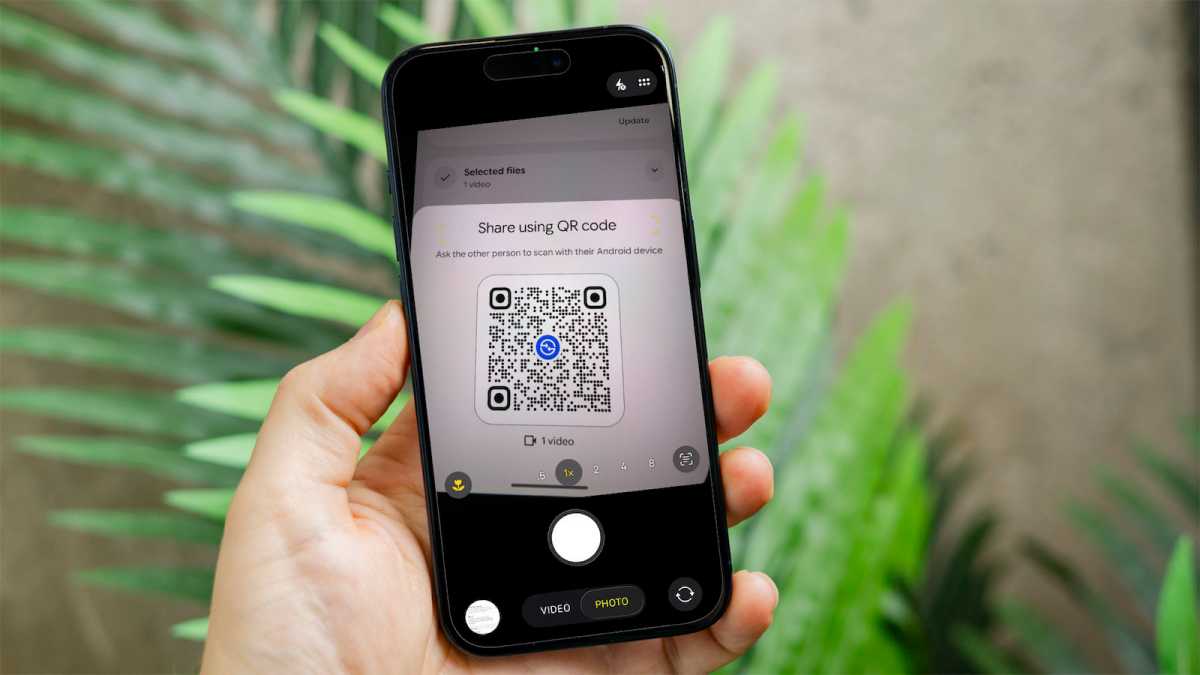
This is a thorny one because Google did recently add AirDrop support to Pixel 10 phones. That unusual turn of events helped make sharing easier, but the reality is that it’s still faster to share documents, images and other content between iPhones. It just works with no fuss.
Dominik Tomaszewski / Foundry
Android’s Quick Share feature is harder to find in Settings and requires more setup – especially when it comes to older Android phones.
In my tests, when trying to share a video from a Pixel 10 Pro XL to an iPhone 17 Pro, the Android phone didn’t find the iPhone even though both phones were on the same network. When I scanned the QR code from the Pixel, the connection did not work. (I contacted Google about this and reps said AirDrop sharing should have worked.)
6. Texting is smoother on iPhone and editing texts is more subtle
In my view, the iPhone is just better for texting all the way around. Over the last few years, when testing both iPhones and Android devices, I’ve been able to type faster and more accurately on just about any iPhone than an Android phone.
That’s subjective and you might prefer Android for texting, but there are a few other glaring differences. Both iPhone and Android let you edit a text, but Android adds a more obvious “edited” flag to the message. It also didn’t work between the Android and iPhone. (Google reps noted the issue is with the iPhone, that RCS editing is not allowed from iOS to Android.) I also like the iPhone messaging effects better and the emojis are more varied.
7. FaceTime video calls work instantly between iPhones, video chats are harder to setup on Android
FaceTime is simply the best video chat service around
FaceTime is simply the best video chat service around, mostly because – if you’re chatting from iPhone to iPhone, at least – it’s all included and works out of the box. There are countless alternatives, of course. You can use Zoom or Google Meet. And, iPhone users can FaceTime with Android callers through a browser, but it’s still a hassle.
8. Sat texting is free when you’re out of service on an iPhone, Android is more for SOS
I’ve used this feature several times because I often go hiking or camping in remote areas where there isn’t cell service. With the iPhone, you can text easily over a satellite connection. It’s actually a pain to configure because you have to point your phone toward the satellite and wait for it to connect, but it’s free and it works.
With the iPhone, you can text easily over a satellite connection
With Android, it’s possible but it really depends on your carrier and which phone you use. Pixel supports it out of the box. Older Android phones might not connect, and AT&T phones do not support texting over sat at all.
9. Call recording “just works” on iPhone
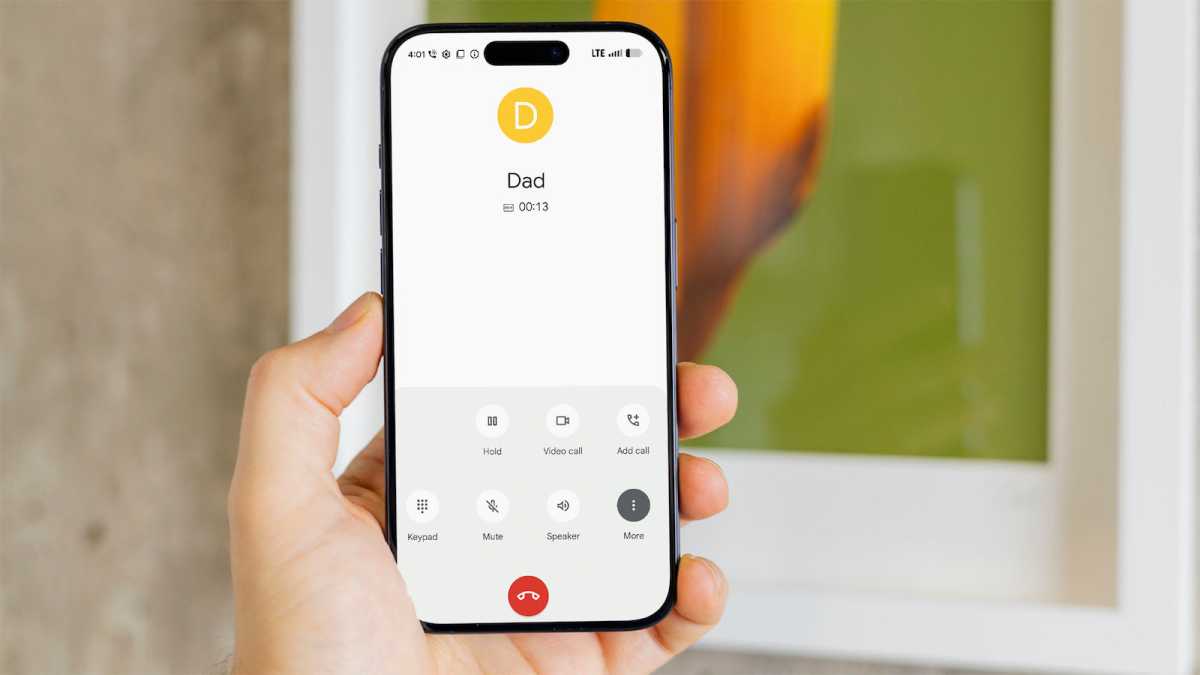
I use this feature quite often as well. When you place a call, you can choose to record the call with one click. There’s a countdown and then all callers are notified that the call is being recorded.
Dominik Tomaszewski / Foundry
The saved recording is placed into the Notes app. With Android, I found when I called an iPhone the recording option wasn’t available. Of course, Google practically invented the idea with Google Voice and that’s how I always used to record calls. But, once again, it “just works” on an iPhone. (Google reps said this should have worked, but did not during my tests with a Pixel 10 Pro XL.)
For advice on choosing the best phone with the right OS for you, check out our top recommendations in our round-up of the best phones we’ve tested.