
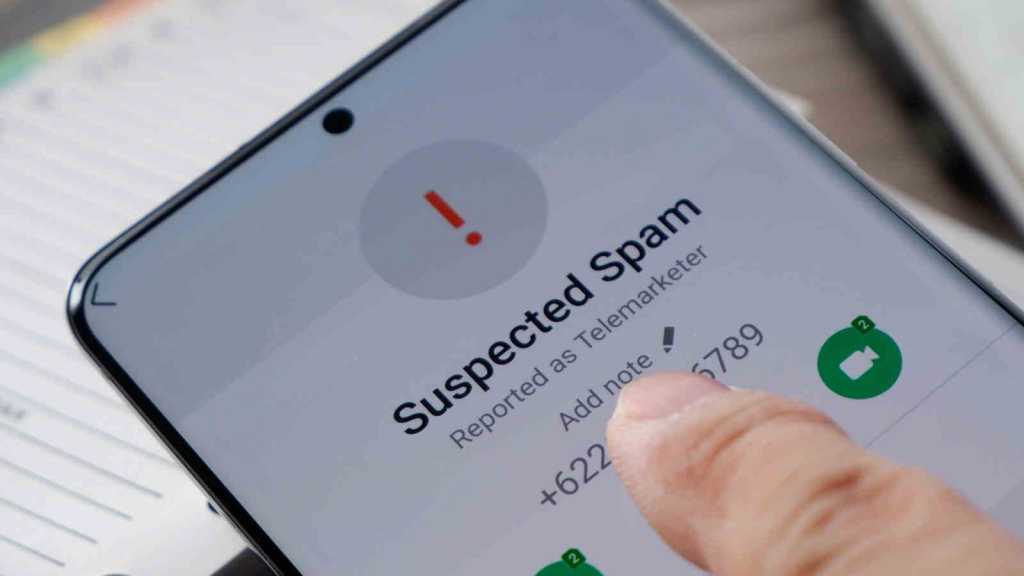
Whether it’s the supposed bank employee, the fake police officer or the notorious ‘grandparent’ scam, telephone fraud has become a global epidemic.
Criminals use manipulated phone numbers via a process known as spoofing, and even AI-generated voices to put pressure on their victims. Unfortunately, this continues to be successful on too many occasions.
But here’s the good news: tech companies are stepping up their game and fighting back. Google has integrated far-reaching protective measures into the Android operating system that tackle fraudsters even in the background.
From simple spam warnings to highly complex real-time analysis using artificial intelligence – here are six ways your smartphone protects you from the worst today.
1. Scam Detection: AI listens in and warns you in real time
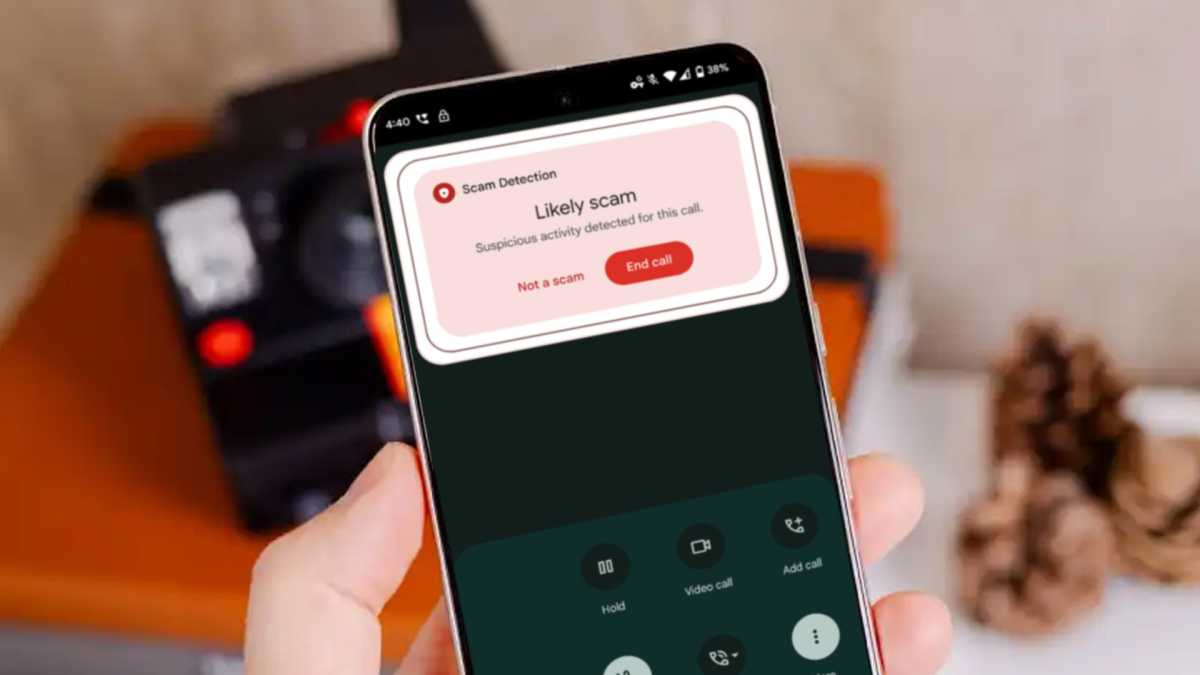
One of the latest features in the fight against fraudsters is ‘Scam Detection’. This function analyses ongoing calls directly on the smartphone. On newer Pixel phones, the on-device AI Gemini Nano is used for this purpose.
If the system detects typical scam patterns – such as when a caller pretends to be a bank employee and asks you to make an urgent bank transfer, disclose your PINs or install a remote maintenance app – a clear warning appears on the screen. In addition, the smartphone alerts the user to the potential scam attempt via a sound and vibration.

Dominik Tomaszewski / Foundry
The analysis takes place entirely locally on the device. According to Google, neither call recordings nor transcripts are transmitted to servers.
2. Fake Call Detection: Defending against AI voice clones
A particularly insidious trend continues to be shock calls, in which fraudsters use AI deepfakes to mimic the exact voice of a relative and, through number spoofing, even display the contact’s name (e.g. ‘Mum’) on your screen.
This is where Fake Call Detection comes into play. As soon as the call comes in, your smartphone establishes a silent connection in the background to the alleged caller’s real mobile phone using encrypted RCS (Rich Communication Services) technology. During this digital handshake, the system asks: “Are you calling me right now?” If the other device replies “No”, Android exposes the scam.
The key feature here is that your smartphone immediately removes the fake contact picture and name (“Mum”) from the screen and labels the caller as “Unknown”. At the same time, the system displays a visual warning about identity fraud and offers the ‘Hang up’ button. However, for this to work, both parties must be using the official Google Phone app.
3. Phone Call Spoofing Protection: “Verified Financial Calls”
In the fight against widespread banking scams, Google is working directly with participating financial institutions. The Verified Financial Calls feature is designed to protect Android users from fake calls in which fraudsters impersonate a bank’s phone number.
If you have installed the app of a participating bank (including Revolut), the system checks incoming calls from such numbers in real time in the background.
If the app of a supported bank is installed on your smartphone, Android can verify incoming calls from that bank. It checks whether the call has been authorised by the bank.
Dominik Tomaszewski / Foundry
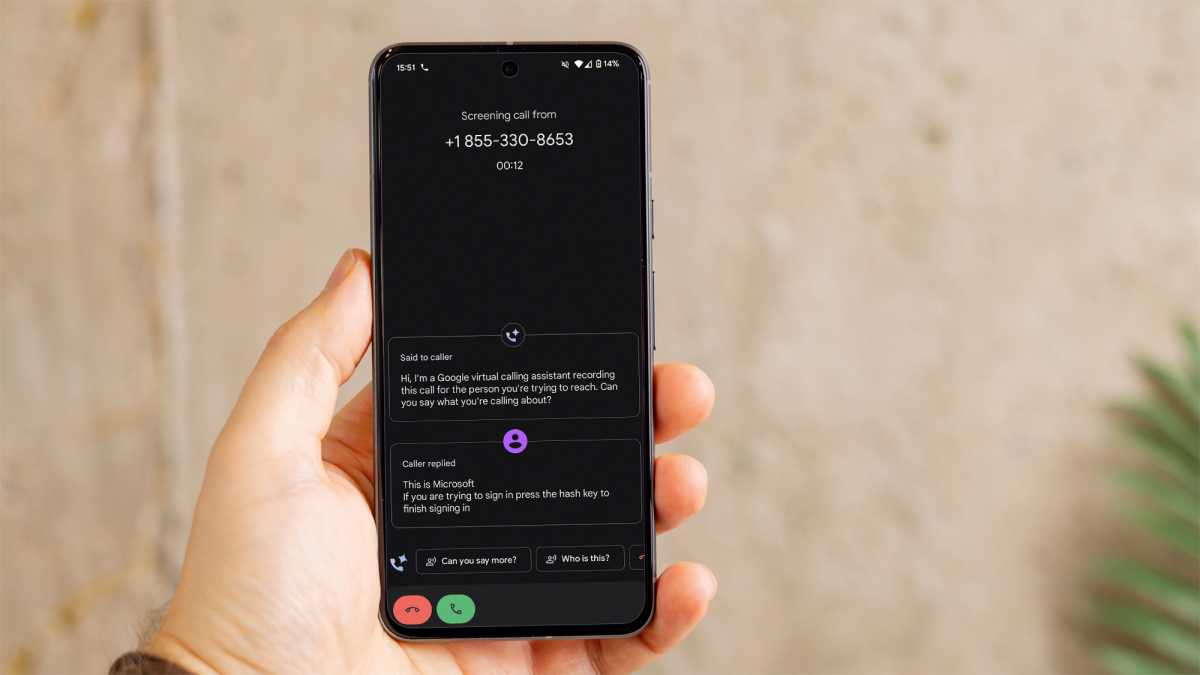
If authenticity cannot be confirmed, or if the call comes from a number that is actually intended solely for incoming customer calls, Android will warn of a possible spoofing attempt or block the call. Users will then receive a corresponding notification on their screen.
The system also recognises so-called ‘inbound-only’ numbers. These are numbers belonging to the bank that are intended exclusively for incoming customer calls. If a call comes in from such a number, Android immediately identifies it as spoofing and blocks the connection. You will then receive a notification on your screen.
Incidentally, you can quickly check whether this feature is enabled on your device. The path in the settings is:
Security & Privacy → More Security & Privacy → ‘Verified Financial Calls’ .
Note: As this feature requires a direct interface, this option will only appear in your Android settings once you have installed and set up a supported banking app on your smartphone. Unfortunately, there aren’t many supported banking apps at the time of writing.
4. Call Screening and Call Reason: Your digital butler
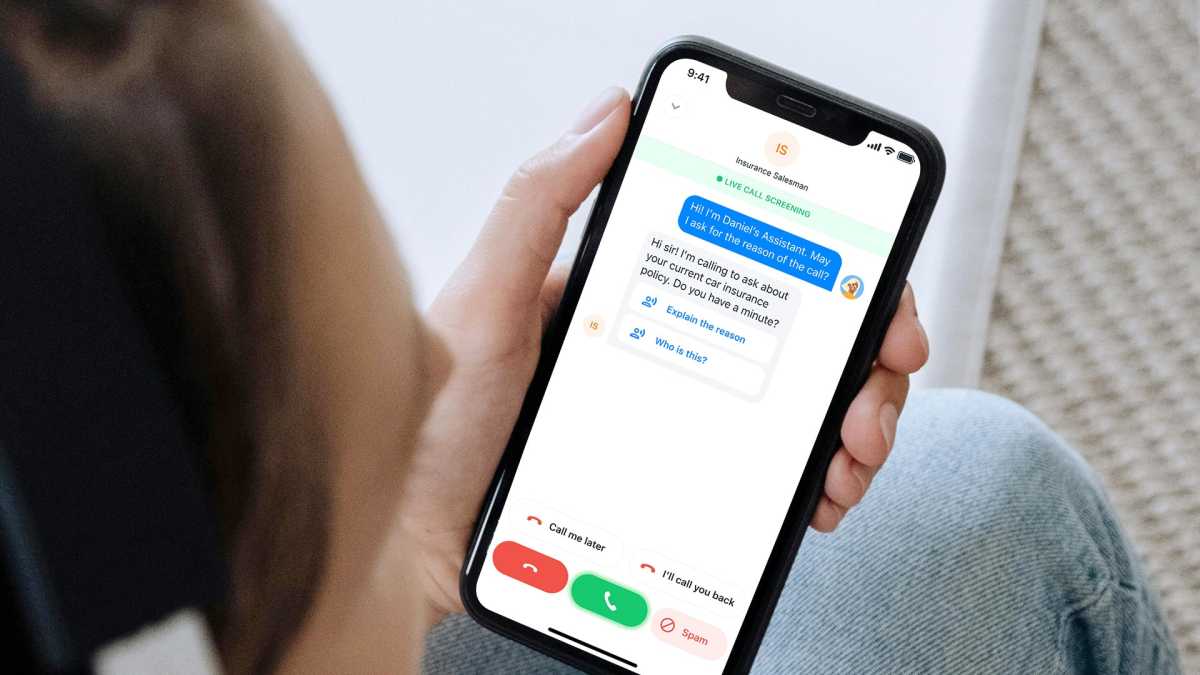
Another effective tool against unknown numbers is Call Screening. If an unknown number calls, you don’t have to answer it yourself. Instead, Google acts as an automated butler to handle the call. The caller is asked to state their name and the reason for the call.
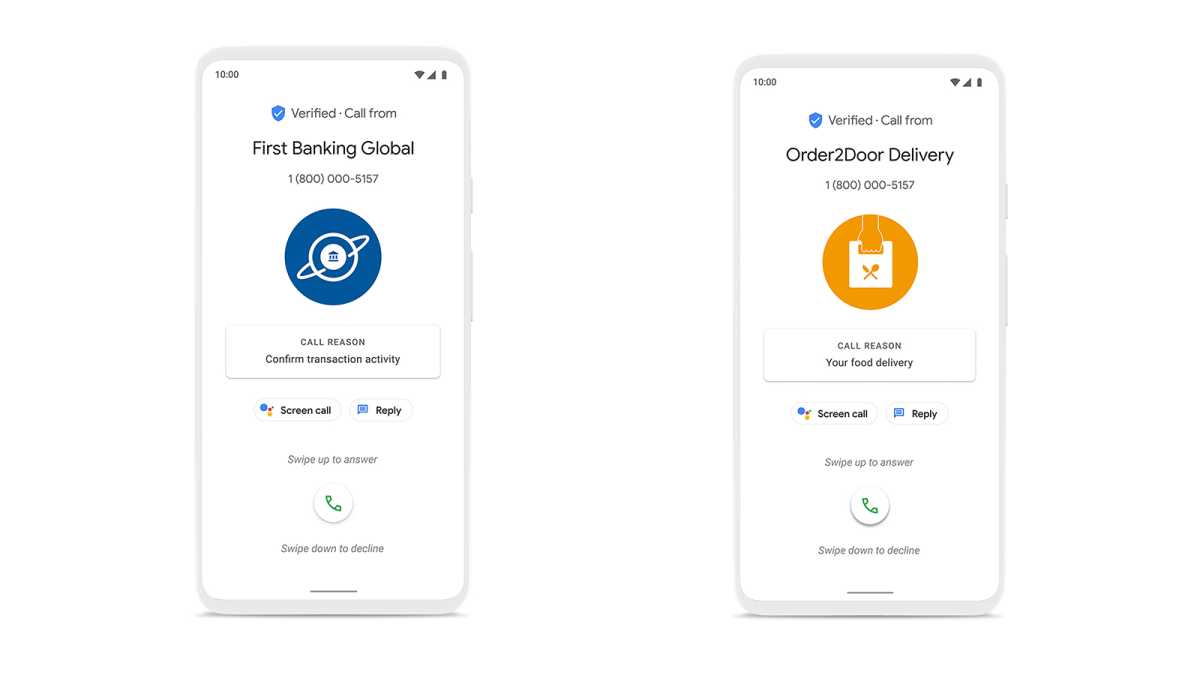
Meanwhile, you can read what the caller is saying in real time on your screen and, at the touch of a button, decide whether to accept the call or block it as spam. This is complemented by the Call Reason feature, which allows reputable companies to digitally convey the reason for the call before you even pick up.

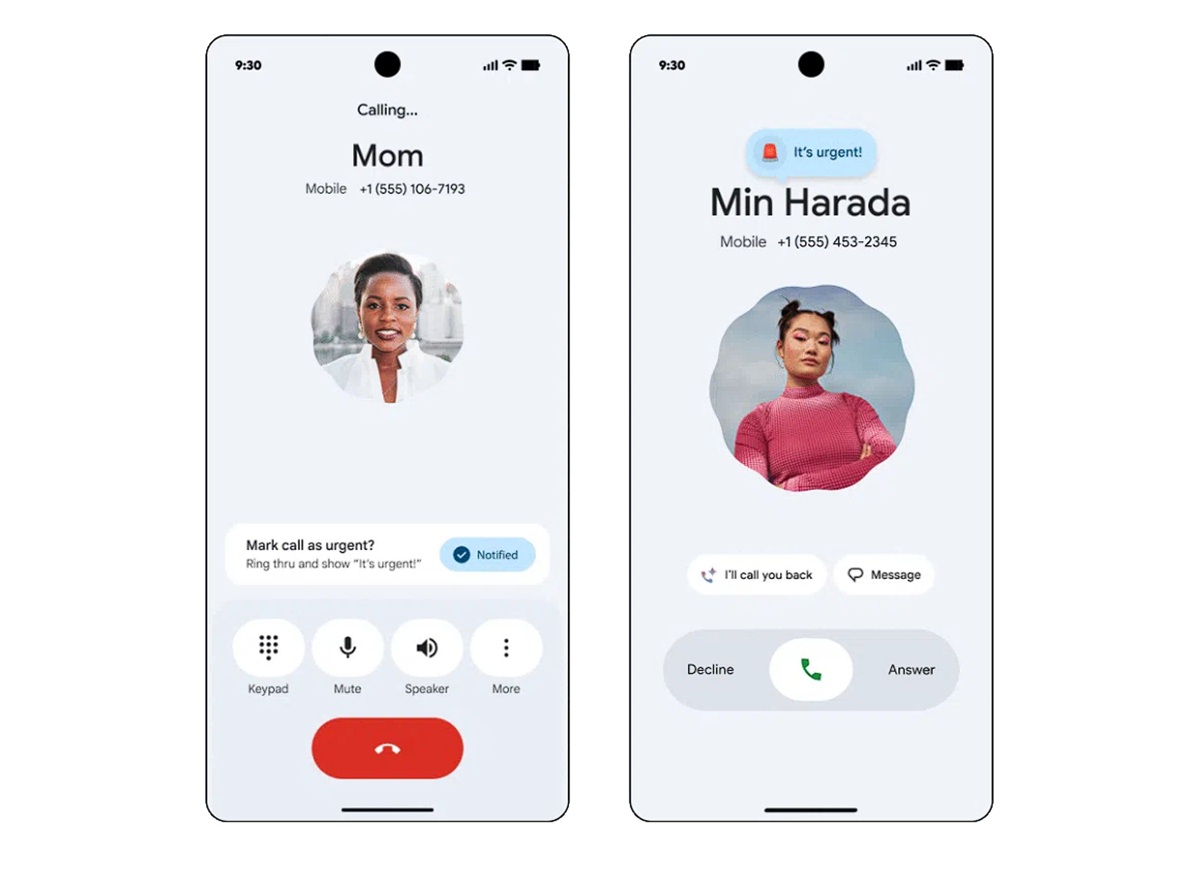
The full Call Screening feature is currently available primarily on Google Pixel smartphones. However, the UK version differs significantly from the fully automated US model. In the UK, you must manually activate the filter at the moment the call comes in by pressing a button.
However, a similar feature on Samsung Galaxy handsets will do the work for you regardless of where you’re based.
5. Caller ID and spam protection: The classic
For several generations of Android now, the basic spam protection in the Google Phone app has been the first line of defence. As soon as a call comes in, the system immediately checks the number against a database maintained by Google containing known spam and business numbers.
If the number has already been flagged, the call is clearly marked as spam – for example, through a flashing display or warning messages such as ‘Suspected spam’.
You can configure the app to reject such calls straight away. This is complemented by Verified Calls, which allows legitimate businesses to be displayed with their official company logo.
6. SMS spam filter: Additional protection
As many cases of telephone fraud begin with a preparatory text message (such as fake parcel notifications containing a link), Google has equipped its messaging app, Google Messages, with enhanced protection features.
The app uses automated filtering mechanisms to detect suspicious content. This includes typical phishing messages, crypto scams, fake parcel or competition notifications, and known scam patterns featuring manipulated links.
Detected messages can be automatically moved to a spam or protected folder, or flagged accordingly. Some of the detection takes place directly on the device, meaning that a full analysis via external servers is not necessary.
Overview: What security features are available for your smartphone?
The availability of these features depends heavily on the smartphone manufacturer and the version of Android installed. Google traditionally rolls out its best features to its own Pixel devices first. However, Samsung and other Android phone owners can usually install the Google Phone app from the Play Store to unlock compatible services.
| Security technology | How it works | Android version | Availability / Devices |
| Scam Detection | Real-time AI analysis of the conversation for signs of fraud (locally on the device via Gemini Nano). | From Android 16 (first preview from Android 15) | Initially exclusive to Google Pixel (from Pixel 6 onwards), with plans to extend to other manufacturers. |
| Fake Call Detection | Digital RCS handshake for identity verification. In the event of fraud, the name and contact photo are deleted immediately. | From Android 12 | Initially rolled out for Google Pixel devices. Later available for all devices with the official ‘Phone by Google’ app. |
| Spoofing Protection (Verified Financial Calls) | Automated verification against installed banking apps (e.g. Revolut) and blocking of purely inbound numbers. | From Android 11 | All compatible Android devices with partner financial apps enabled. |
| Call Screening | Google Assistant answers unknown calls and transcribes them in real time. | From Android 10 | Exclusive to Google Pixel smartphones (and selected Motorola devices). |
| Caller ID & Spam | Cross-referenced against global databases; a red warning display appears if spam is suspected. | From Android 9 | All Android devices, provided the official Google Phone app is set as the default. |
| SMS spam protection | Filters out phishing links, prize draws and crypto scams into a separate folder. | From Android 8 | All Android devices, provided the official Google Messages app is used. |
Extra protection: The best anti-scam apps
If you want to specifically enhance your protection – particularly on smartphones that don’t fully support Google’s built-in features – you’ll find robust alternatives in the Play Store. These apps cross-reference incoming calls against extensive databases and cloud-based lists:
- Truecaller: The international market leader. Thanks to several million users worldwide, it offers lightning-fast warnings about new scams. Please note, however, that the app requires extensive data permissions. Go to the app on the Play Store.
- Hiya: Built into Samsung phones, it’s available as a free download for all Android (and iPhone) owners. Designed for real-time call detection rather than after the event, using public white pages and AI analysis. Go to the app on the Play Store.
- Tellows: The community-based solution. Users rate numbers using a ‘tellows Score’ based on their risk potential (e.g. ‘prize draw’ or ‘ping call’). You can also block entire area codes (e.g. from abroad) across the board. Go to the app on the Play Store.
Truecaller
Important: These apps require system permissions (such as access to your contacts and permission to overlay the phone app) in order to alert you in an emergency. You should therefore always download such tools exclusively from the official Google Play Store.
Conclusion: Call safety is non-negotiable
Anyone with a modern Android smartphone is no longer defenceless against scammers. Users of the Google Pixel range in particular benefit from a robust, modern shield comprising on-device AI and clever tools such as Fake Call Detection or Call Screening at the touch of a button.
To ensure that the recommended third-party apps can alert you in good time in an emergency, you must grant them the necessary system permissions during setup – Google’s own built-in tools usually come with these permissions by default as system apps.
However, even on all other Android phones, risks can be significantly minimised by consistently using Google’s official Phone and Messages apps and enabling the spam filters within them.