
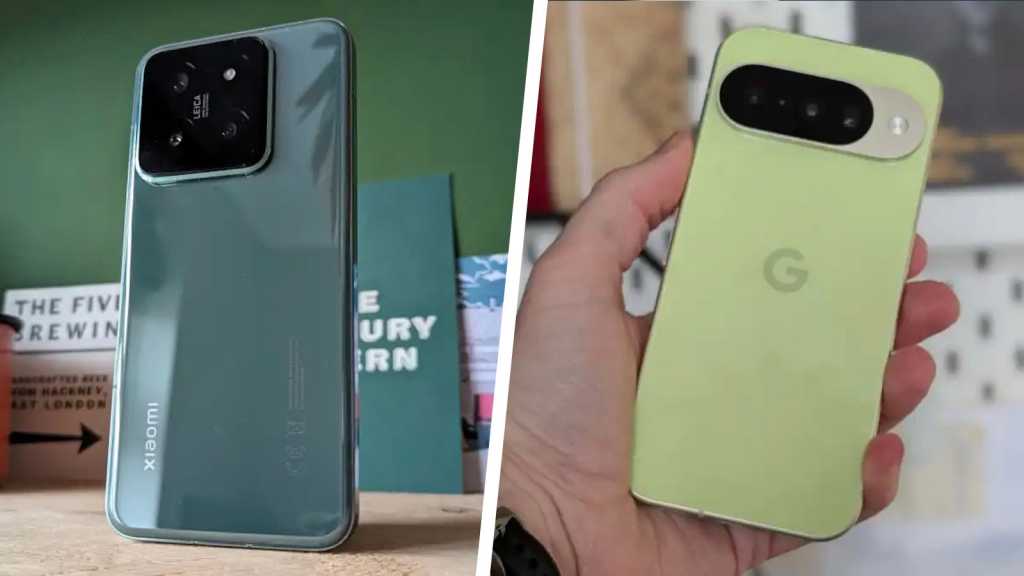
I’d been using the Xiaomi 14 since it launched. It has Snapdragon 8 Gen 3, Leica cameras, and 90W charging that filled the battery in just over half an hour. By any sensible measure, it was an excellent phone. I liked it. I knew how it worked and I knew how to work around the bits I didn’t love.
Then, in January this year, as a kind of New Year reset, I picked up a Pixel 10. I thought I knew what I was getting: clean, stock UI and less bloatware, but it turns out I didn’t know everything.
Some of the changes were better than expected. Some of it was worse. And there’s one thing I’m still adjusting to, even after using the Pixel 10 for months.
The first difference I noticed wasn’t the camera

Nikhil Azza / Foundry
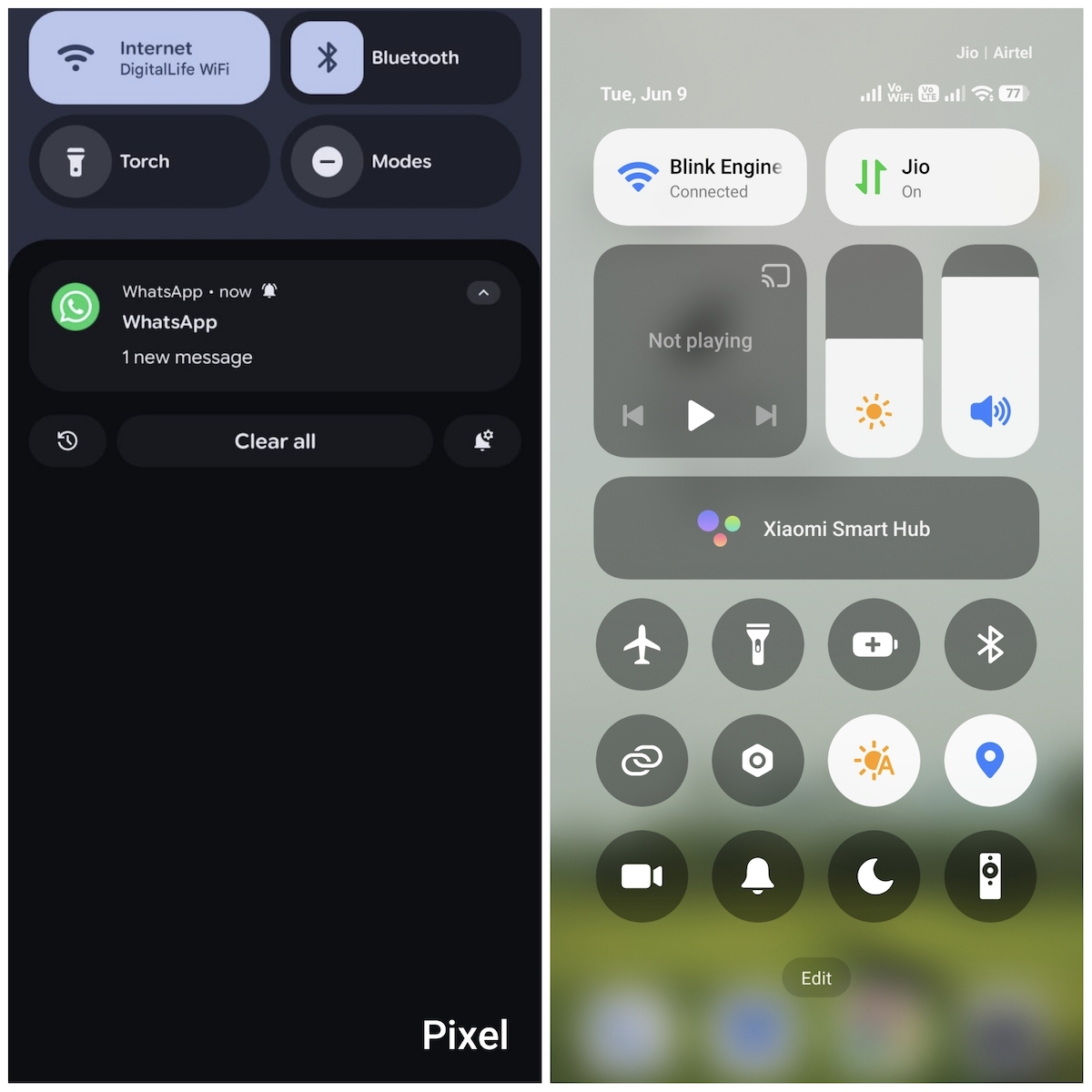
On the second day I had the Pixel, I picked it up at around half seven in the morning and I realised I had no notifications to clear. At least, there were no notifications that I hadn’t asked for.
Using the Xiaomi 14, I’d start my morning with a small cluster of items in the notification panel that I didn’t need to know about. GetApps would be nudging me about a sale, or the Themes app suggesting I might like to upgrade my wallpaper pack. Occasionally, I’d see a Xiaomi system notification for something that I never configured.
I’d been doing a quick clear-up of the notification panel for so long that I stopped thinking of it as a problem, as if it was just part of picking up the phone.
The Pixel doesn’t do that. The notification shade only contains things I’ve asked for. Now, that sounds as though it should be the default. But after 18 months on HyperOS, it felt like a relief.
Call Screen took about four days to become indispensable
I knew it existed before I switched, but I didn’t expect to rely on it this quickly.
Call Screen works like this: an unknown number rings, you tap one button, and Google AI picks up on your behalf. It asks who’s calling and why, then displays the answer in real time by transcribing the response. You can then decide whether or not to pick up. It may sound like a task, but it hardly takes more than 15 seconds.
Call Screen gives you the the information you need without picking up
The first time it properly earned its keep was one afternoon in late January. A number I didn’t recognise called me twice in ten minutes. On the second one, I let Call Screen deal with it. The transcript came back: “Calling about your recent car insurance renewal, just wanted to check you’re still happy with your current provider.” Declined without hearing a word of it.
I must have used it over 50 times since then. Xiaomi doesn’t have an equivalent. You can silence unknown callers entirely, but then you lose the context or occasionally miss something that’s important to you. Call Screen gives you the the information you need without picking up. I’d genuinely miss it now if I had to go back.
Not all camera advantages are on the spec sheet
Nikhil Azza / Foundry
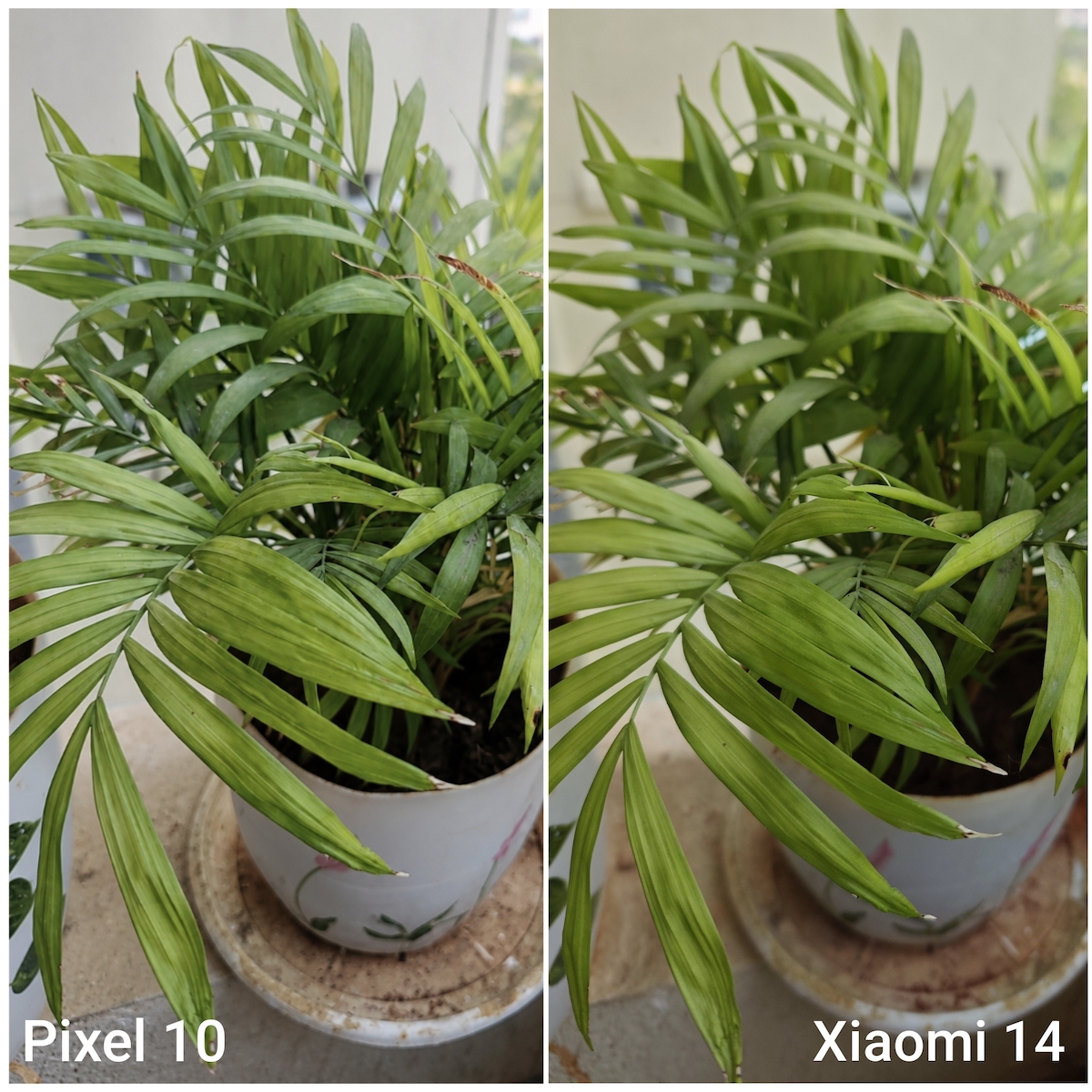
The Xiaomi 14 has a triple 50Mp setup designed with Leica. On paper, that’s a serious camera. In practice, Xiaomi’s processing makes decisions for you that you didn’t ask for.
I noticed it first in a photo from a friend’s birthday last November, taken with the Xiaomi 14. Her skin looked slightly smoothed, the way pictures do when phones are compensating aggressively for noise rather than just capturing what’s there.
The Pixel 10 doesn’t do that with its 48Mp main sensor, which is technically less impressive. But its output looks more realistic. Skin is skin and texture stays where it should be.
Google also added a 5X telephoto. Up to 10X, it’s genuinely usable and past that, you’re leaning on Super Res Zoom at 20X and the results are softer.
People aren’t talking enough about Magic Cue
Magic Cue is a Pixel 10 feature that connects your Gmail, Calendar, and Messages, then surfaces relevant context at the right moment without you having to ask. The first time it properly showed up, I was on a call with airline customer support, on hold, and the confirmation number for a flight I’d booked a couple of weeks ago just appeared on screen. I hadn’t opened Gmail or performed a search – but there it was.
I’ve used it a dozen times without thinking and it’s been right every time
I’m not entirely sure how comfortable I am with how much it knows about my day. But I’ve used it a dozen times without thinking and it’s been right every time. When a colleague texted asking what time we’d agreed to meet, Magic Cue pulled the calendar entry and suggested I share it in one tap. Two seconds and done.
The Xiaomi 14 doesn’t have anything like this. Although HyperOS has AI features, they live in apps. The Pixel’s integration sits underneath the whole thing, which is a different proposition.
Updates are a different experience when they just happen
Nikhil Azza / Foundry
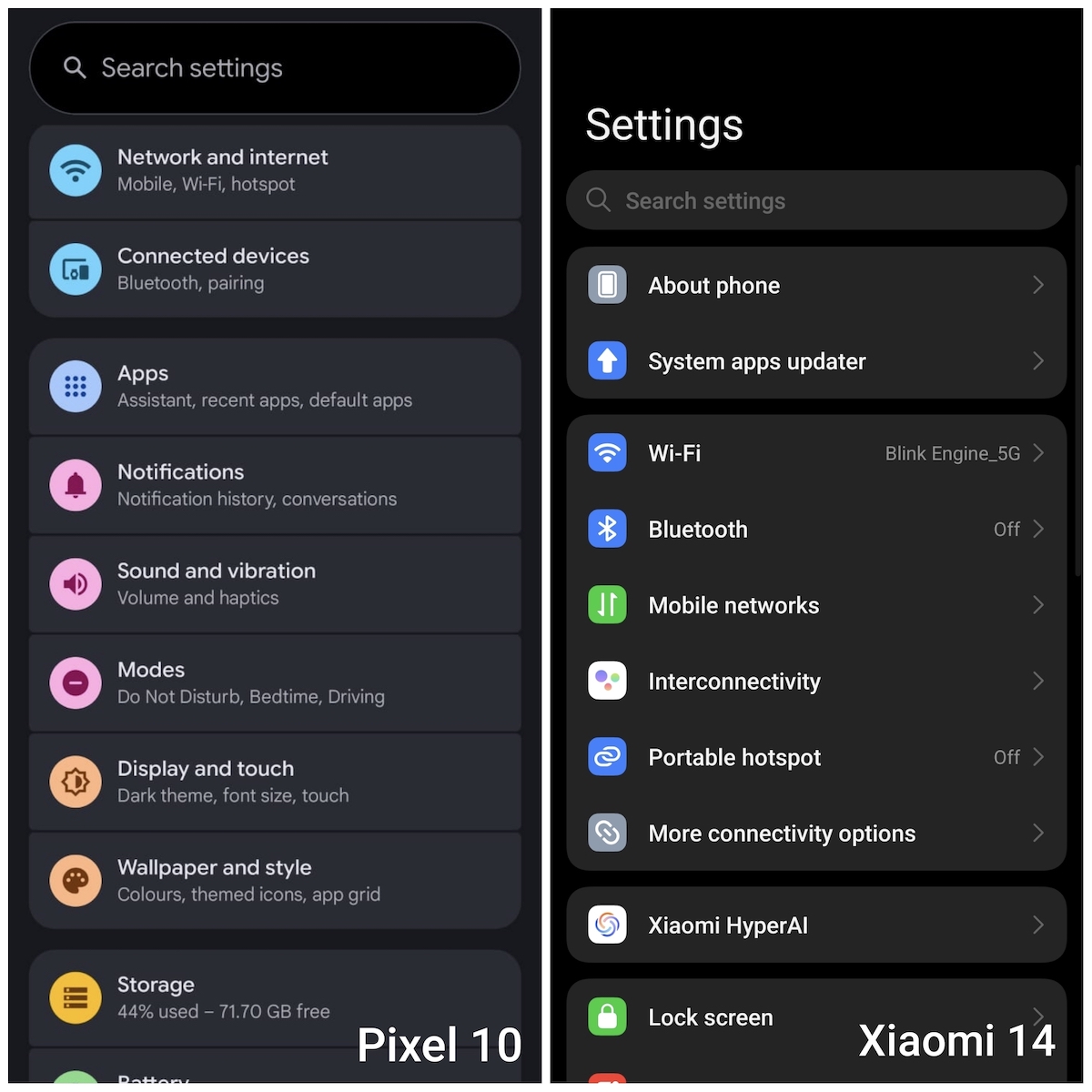
The Xiaomi 14 got updates, of course, but they came in with the Xiaomi schedule, not Google’s. Typically, this meant that security updates arrived weeks or months after Google pushed them publicly. The Android 15 update landed on my Xiaomi around three months after it went live on Pixel.
Seven years of software is actually the headline here
The Pixel 10 launched with Android 16 on day one, with security patches landing in the first week of every month. I stopped checking for updates after a while, because I could trust that they’d arrive.
That sounds minor until you’ve been on a phone where you occasionally open Settings just to see if there’s anything new. Seven years of software is actually the headline here. I’m not sure whether I’ll get seven years out of the hardware, but the software will be current as long as I stay on it.
But… I wish I’d known about charging speed
The Xiaomi 14 charged at 90W and went from dead to full in around 40 minutes. I’d had the phone for 18 months, building small habits around it. Five minutes on the charger before leaving the house and it was at 10-15 percent, which was enough to stop worrying.
29W in 2026 feels like a real compromise, when Xiaomi is pushing 90W on its flagship
The Pixel 10 charges at 29W, with a full charge taking around two hours. I noticed the difference right away. One day, I’d let the phone get down to about 8% and plugged it in while I got ready. When I left 25 minutes later, it was at 38%.
With the Xiaomi, the same scenario would probably have left it closer to 70% or so. That’s not a catastrophic gap but with that charging speed, you have to plan earlier. You can’t sneak in a meaningful top-up before you leave.
Battery life across a normal day is fine. I’m getting through to the evening comfortably. But 29W in 2026 feels like a real compromise, when Xiaomi is pushing 90W on its flagship – and some other other phones hit 120W.
Should you switch from Xiaomi to Pixel?
The Pixel 10 launched with a price of £799/$799, while the Xiaomi 14 was available from £849 (and wasn’t on sale in the US). They’re both on sale for less now – and both are proper flagships.
What you’re losing if you give up the Xiaomi 14 is fast charging and a camera system that looks more impressive in specifications. What you’re getting with the Pixel 10 is a phone that feels more coherent day-to-day, where the software and the hardware are designed to work together, rather than alongside each other. The notification calm is real, and Call Screen earns its place. Google’s integration, once you lean into it, is kind of hard to give back.
However, the Pixel’s slower charging speed is the thing I’d tell someone upfront. Everything else I’d let them discover.
To see all our top flagship recommendations, see our round-up of the best phones we’ve tested.