
At a glance
Expert’s Rating
Pros
- Good value
- Stylus included
- Compact design
- Good battery life
Cons
- Stylus not as precise as others
- Performance will only handle basic tasks
- Display viewing angles not brilliant
Our Verdict
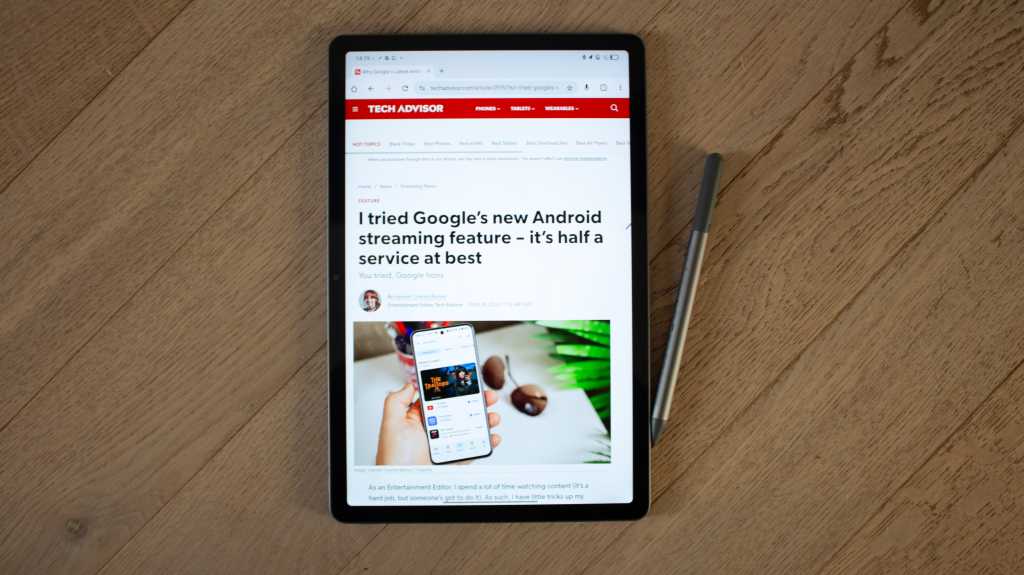
If you’re in the market for a budget Android tablet with a premium design and the ability to do everyday tasks well, the Idea Tab with Tab Pen is a great buy. It’s not the fastest in terms of performance and the Tab Pen isn’t the most precise, but this compact tablet has a great build quality, good display, decent speakers and a solid battery life. For the money, it’s a great tablet.
Price When Reviewed
This value will show the geolocated pricing text for product undefined
Best Pricing Today
Price When Reviewed
$249.99
Best Prices Today: Lenovo Idea Tab with Tab Pen


There’s no shortage of tablets to choose from. That’s the case whether you’re considering an Apple iPad or an Android tablet. But many sit within the mid-range to premium sector of the market, with only a few occupying the budget end.
Amazon’s range of Fire tablets are perhaps the most well known at the cheaper end of the scale, with a great selection for adults and kids, but there’s another company to consider – that’s Lenovo.
You might know the Chinese brand better for its laptops than its tablets but if you’re looking for a tablet for less than £300/$300 that puts in a good showing, the Lenovo Idea Pad with Tab Pen is worth a look. I’ve been reviewing it for the last couple of months to see how it stacks up.
Design & Build
- Compact size
- 3.5mm headphone jack
- Stylus included
Despite its low price point, the Lenovo Idea Tab has a surprisingly premium build quality. It’s up there with Apple’s iPads and Samsung’s Galaxy Tabs, offering an aluminium body with flat edges that looks and feels great. It’s has more of a business vibe than you’ll find on some premium tablets but that’s not necessarily a criticism and there’s no doubt that some will prefer this look.
Its compact size is great for carting around and at 480g, it’s almost identical to the regular iPad (A16)
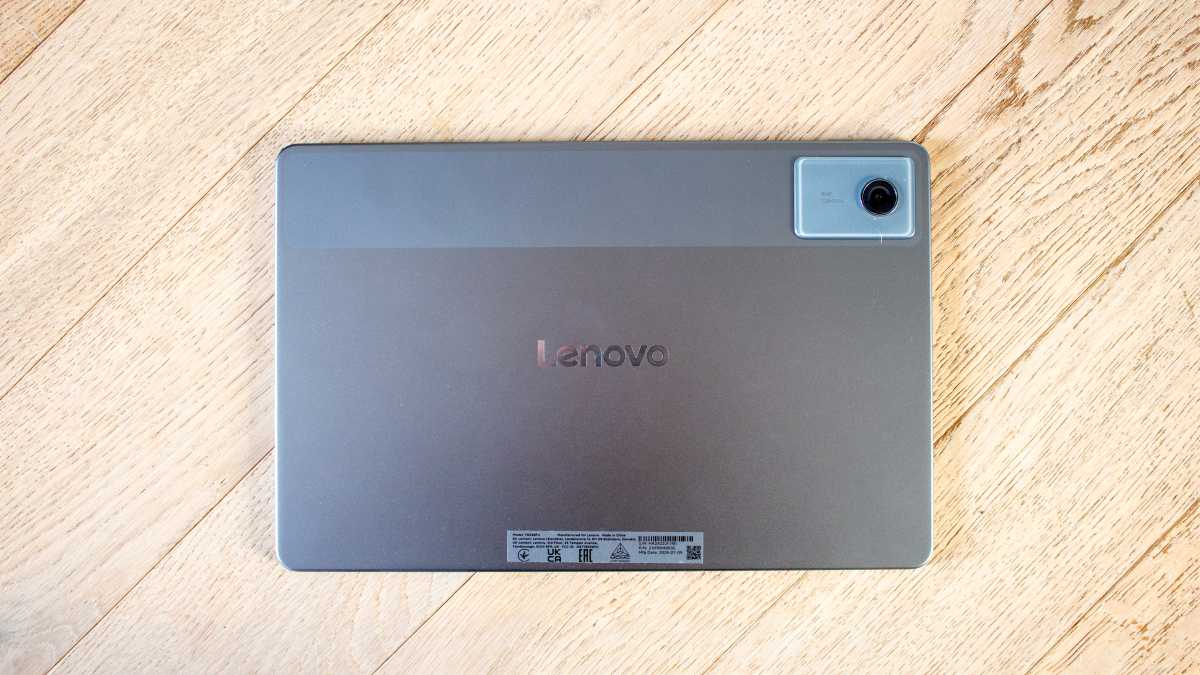
Its compact size is great for carting around and at 480g, it’s almost identical to the regular iPad (A16) and lighter than the Samsung Galaxy Tab S10 FE, making it nice and portable. The Lenovo Idea Pad comes in two colour options: Luna Grey (the model I have in for review) and Polar Blue. If you want a serious tablet, the grey colour is the one you’ll want but I have to say I prefer the idea of the Polar Blue for an injection of colour.
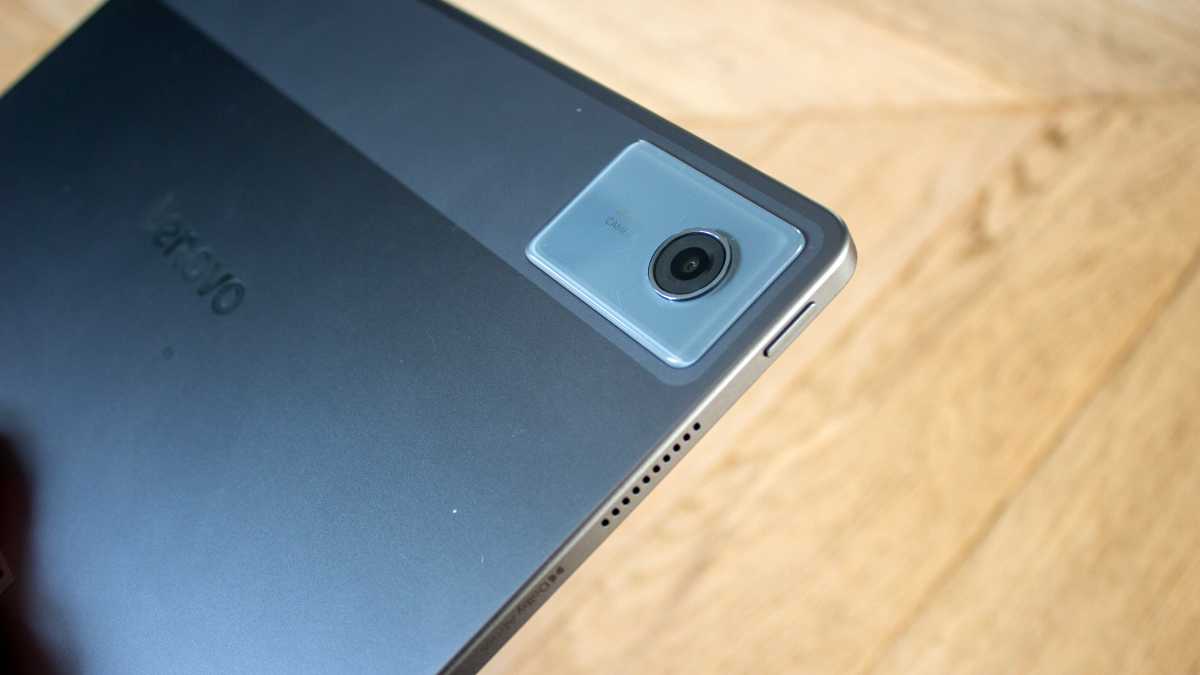
The smooth aluminium rear is comfortable to hold and there’s a single camera lens in the corner, with a glass surround. It’s positioned within a strip that spans the width of the device. It adds something a little different to look at on the back, though it’s that design detail that does make it feel a little more industrial than other tablets on the market.

Britta O’Boyle
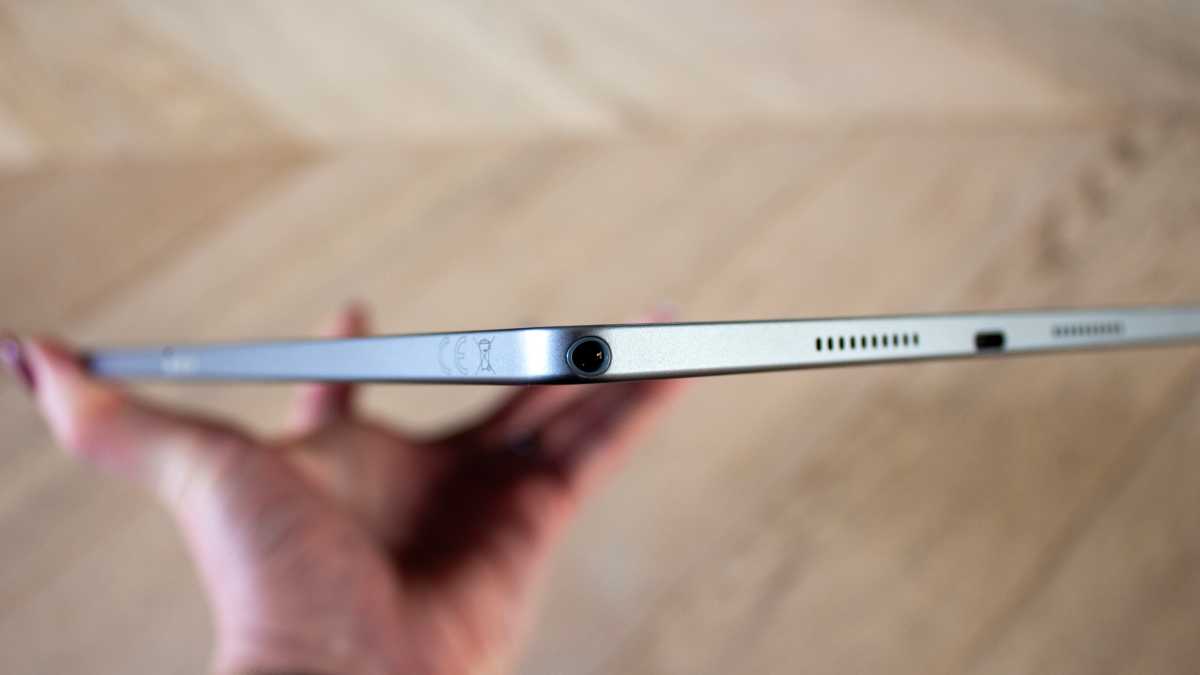
When held horizontally, there are pins at the bottom for connecting a keyboard (sold separately), while the USB-C port is positioned off-centre on the right edge. The power button is on the left edge, while the volume buttons sit at the top, along with the microSD slot.
Britta O’Boyle
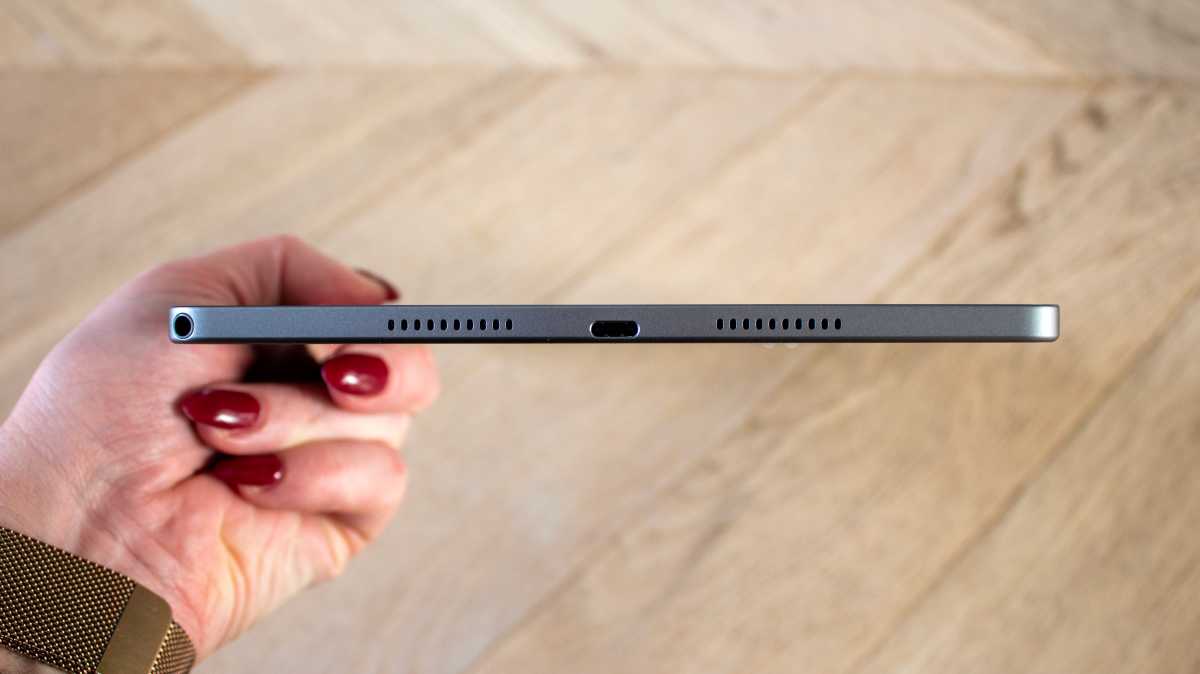
There is also a 3.5mm headphone jack, something the slightly more expensive Lenovo Idea Tab Pro doesn’t have, but it’s in a very odd position, sitting right on the bottom right corner. To me, this is the main indicator this is a budget tablet as its position feels unconsidered.
Screen & Speakers
- IPS display
- 2560×1600 resolution
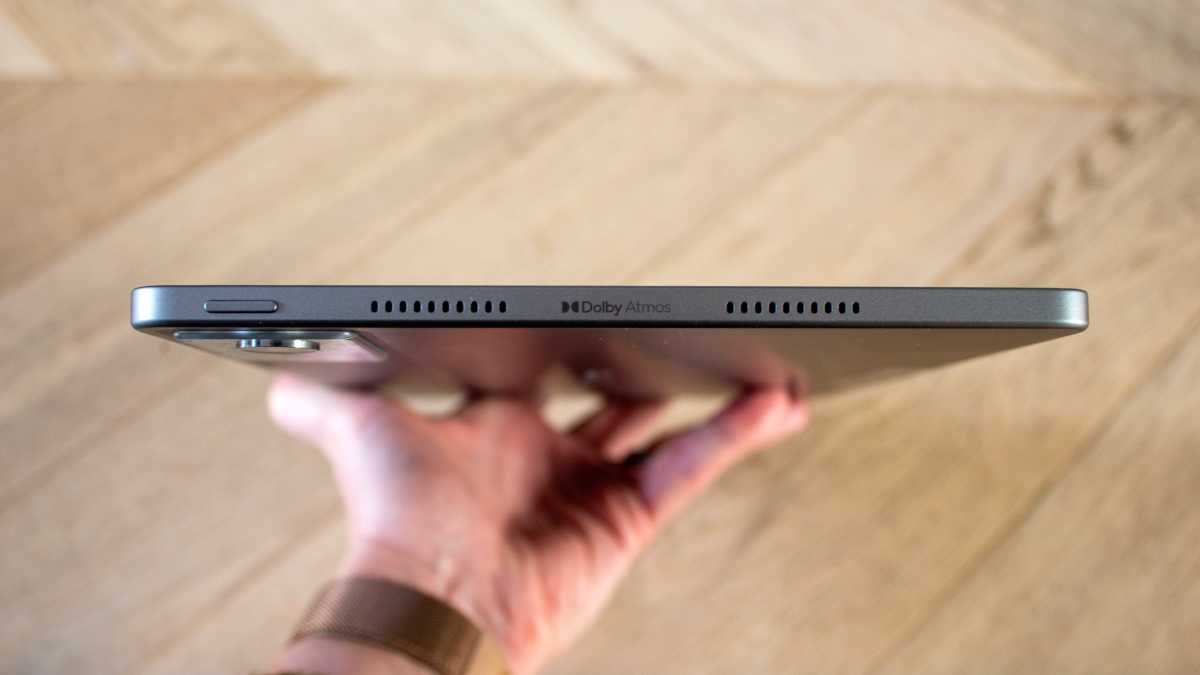
- Quad speakers
The display on the Idea Tab is smaller than the Idea Tab Pro, with an 11-inch screen compared to that model’s 13-inch screen. It puts it on par with the regular iPad and the smaller iPad Air and iPad Pro. It’s a good size if you’re looking for a decent balance between size and portability.
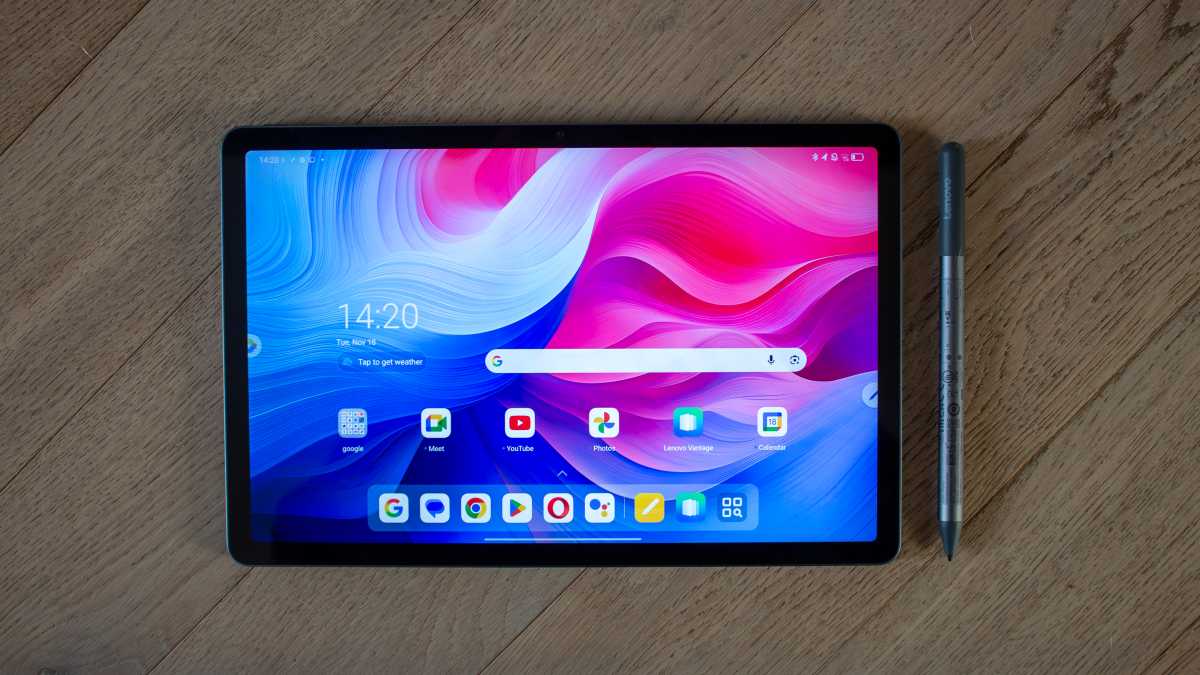
Colours have enough punch that app icons and the wallpaper pops
The IPS panel is surrounded by a uniform bezel. It could be slimmer, but it has a stronger look than a lot of tablets at a similar price. The display is bright enough for indoor use and more than adequate for watching content, writing notes or browsing the web.
It’s not going to give you the same experience you’ll get on tablets twice the price, but for the money you’re paying, it’s difficult to complain.
Britta O’Boyle
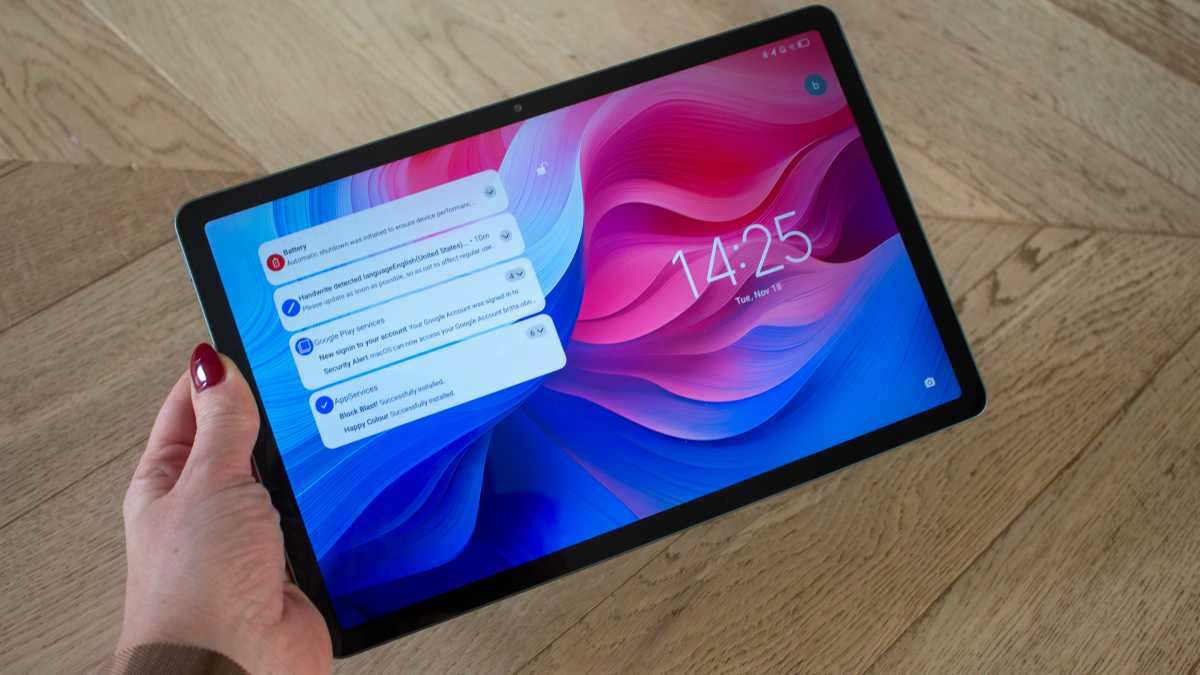
Colours have enough punch that app icons and the wallpaper pops, though viewing angles aren’t amazing. Whites don’t stay all that bright as you move the tablet to different positions though detail is crisp, with elements like the time stamp and battery icon nice and sharp.
There’s a 90Hz refresh rate too, so scrolling is nice and smooth. It’s not as smooth as you’ll find on the Idea Tab Pro and its 144Hz refresh rate so if you’re looking to game on your tablet, consider that model instead. But for social media scrolling and browsing the web, the 90Hz refresh rate is plenty.
Britta O’Boyle
Audio performance is pretty good too. You’ll find a set of quad speakers tuned with Dolby Atmos and, while I would always recommend using headphones when watching something on a tablet, if only to make sure you don’t irritate everyone around you, the speakers here put in a solid performance.
They’re loud enough to watch a movie and even when you turn them up, there’s not too much distortion so you’ll be able to understand dialogue or play your favourite tune for a pick-me-up.
Specs & Performance
- MediaTek Dimensity 6300 Processor
- 8GB RAM
- 128GB storage
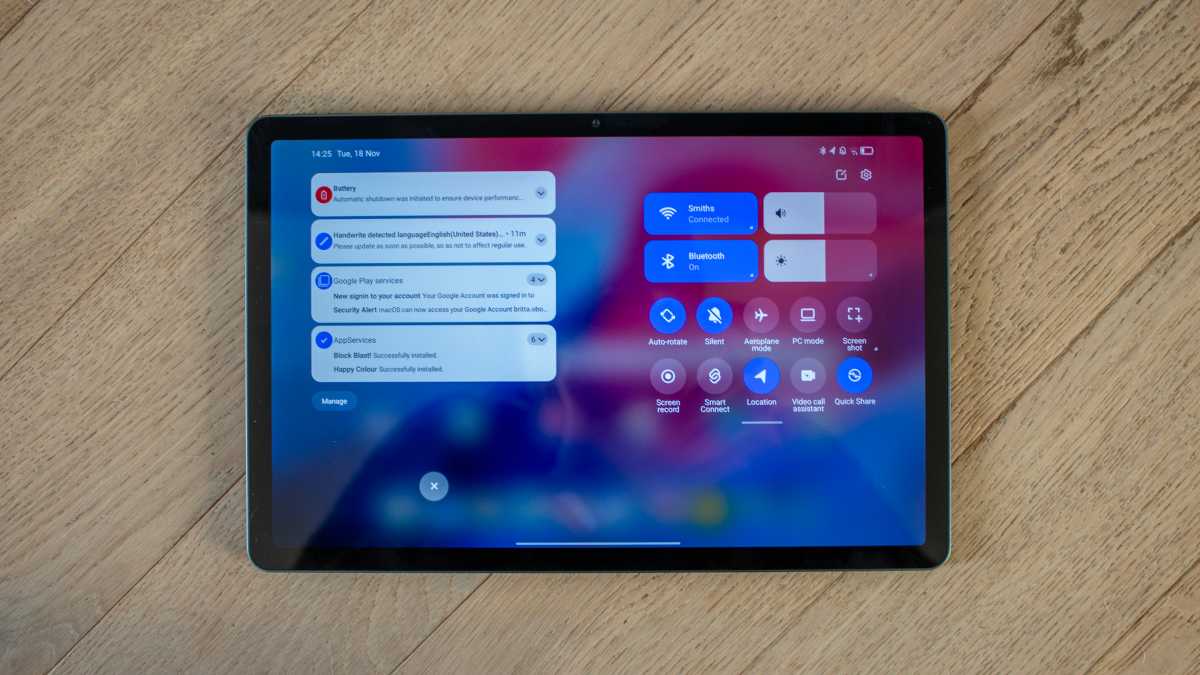
I mentioned the positioning of the audio jack being the first telltale sign of the Lenovo Idea Tab’s budget price point, but performance is the second. This tablet is not going to break any records. It’s slow to start up and a little laggy, though that’s not uncommon at this end of the market. If you have never used a premium tablet, you’re unlikely to notice the dip in performance.
Britta O’Boyle
It’s absolutely fine for everyday tasks, whether that’s writing notes, browsing the web, answering emails or perhaps doing some reading. Apps open swiftly and general responsiveness is good. But this is not the tablet to pick for gaming. If you want to play something like Genshin Impact, you could pay a little more and have a better experience.
This tablet is not going to break any records. It’s slow to start up and a little laggy
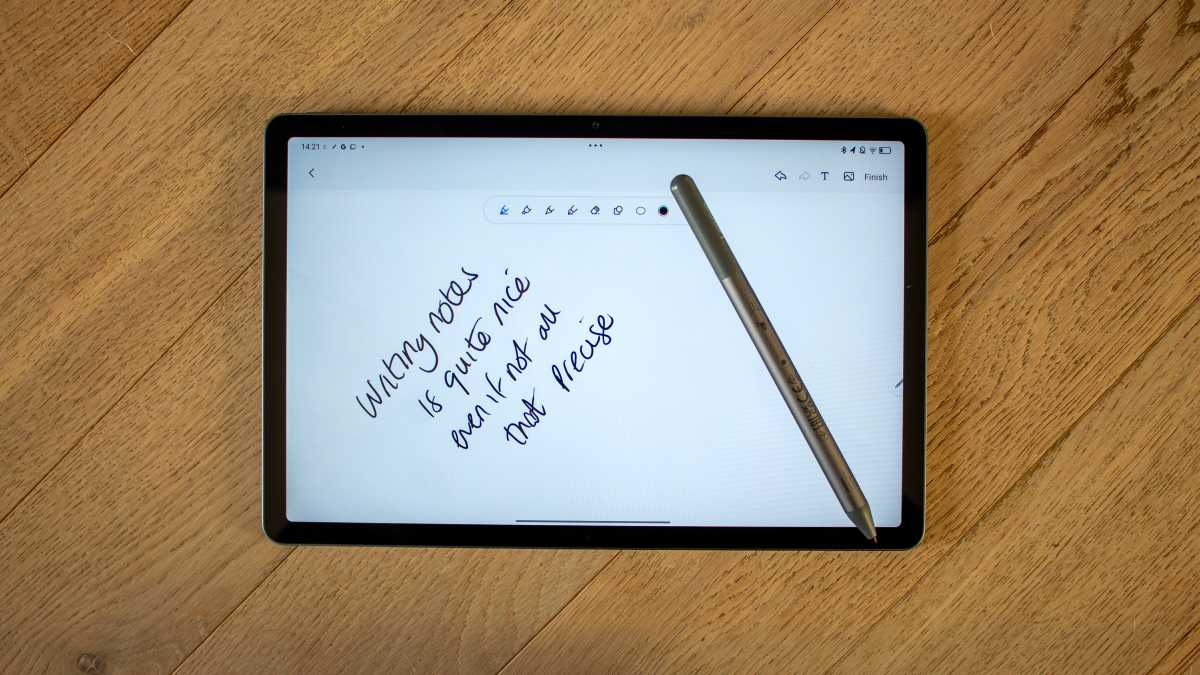
The Tab Pen that comes with Idea Tab (if you select that option) offers a nice note-taking experience, though, cementing this tablet as a good productivity option. There’s nowhere to attach the pen to the tablet itself, which is a little disappointing as it makes it very easy to misplace, but it was pleasant to write with.
It lacks the precision of the likes of the Apple Pencil on iPad, for example, but let’s not forget that the Idea Tab and Tab Pen are half the price of the regular iPad and most basic Apple Pencil. As long as you keep your expectations reasonable, you won’t be disappointed.
Britta O’Boyle
Supporting the MediaTek Dimensity 6300 processor is 8GB of RAM and a choice of 128GB of or 256GB of storage. There’s a microSD slot for storage expansion up to 1TB however, which you won’t find on a lot of more premium tablets so that’s something to be celebrated.
In terms of connectivity, Wi-Fi 5 is supported, along with Bluetooth 5.2, neither of which are the latest protocols but there’s also the option of 5G connectivity.
Lenovo Idea Tab benchmarks
Cameras
- 5Mp front camera
- 8Mp rear camera
- 1080p/30fps video
I am seriously against using a tablet to take photos as there are very few instances in which a tablet will take a better image than the smartphone in your pocket, even if that smartphone is several years old.
Tablets are too big and too heavy to keep stable and the cameras are nowhere near as advanced as on smartphones, and that applies whether you’re talking about the iPad Pro (M5) or the Idea Tab.
Still, if you insist on using this Lenovo tablet as a camera, you’ll get passable shots for your efforts.
Britta O’Boyle
In good lighting, things aren’t too bad and, as long as you’re happy to wait for the focus to kick in, you’ll get some good enough photos. There’s lag between pressing the shutter button and the image capturing, so be sure to remain as still as possible or you’ll get more blur than you’d likely appreciate.
It also has facial recognition for unlocking the tablet… Even tablets three times the price don’t have this
In low light, things are less positive but as I said, that’s the same for the majority of tablets.








What I do like about the Idea Tab is that it has a dedicated ‘documents’ tab within the camera interface. When in this mode, if you hold the tablet up to take a photo of a document, it will automatically recognise it and highlight it within a white box. In my opinion, rear cameras exist on tablets purely for this purpose, so this software feature is one I fully appreciate.

Britta O’Boyle
The front camera on a tablet is more important as it’s good for video calls and here, the Idea Tab does a great job. It also has facial recognition for unlocking the tablet, which worked well. Even tablets three times the price don’t have this, relying on fingerprints instead, so that’s another tick in this budget tablet’s box.
Battery Life & Charging
- 7040mAh battery
- 20W charging
The Lenovo Idea Tab has a decent battery under its hood, which will allow you to watch multiple hours of video before it needs to be recharged. Streaming an hour of YouTube on 50 per cent brightness resulted in a drop of 12 per cent battery, so you should be able to watch a few films on a flight or a commute before you need to look for a charger.
Britta O’Boyle
Its standby stamina is good too so, with the screen off, it will survive for multiple days and you’ll still come back to some juice left in the tank to allow you to send an email or look up a quick recipe before you cook dinner.
If you’re planning to bring it on your morning commute, I’d recommend charging the night before
Charging is pretty slow, however, so you will need to plan a little when it comes to topping the battery up. The Idea Tab supports 20W charging so it takes a while to get from 0 to 100 per cent. I got around 6 per cent every 15 minutes so you’ll need a couple of hours to charge it from flat to make it useable for the day.
If you’re planning to bring it on your morning commute, I’d recommend charging the night before rather than when you get up in the morning.
Britta O’Boyle
The Lenovo Tab Pen runs off a AAAA battery, so it’s not rechargeable. The company claims you will get over 180 hours of continuous writing, which is a fair whack. To start, tip the battery out of the stylus so the small black disc falls out, pop the battery back in and it will immediately connect to the Idea Tab.
Software & Features
- Android 15
- Lenovo ZUI 17 overlay
- Only two years of updates
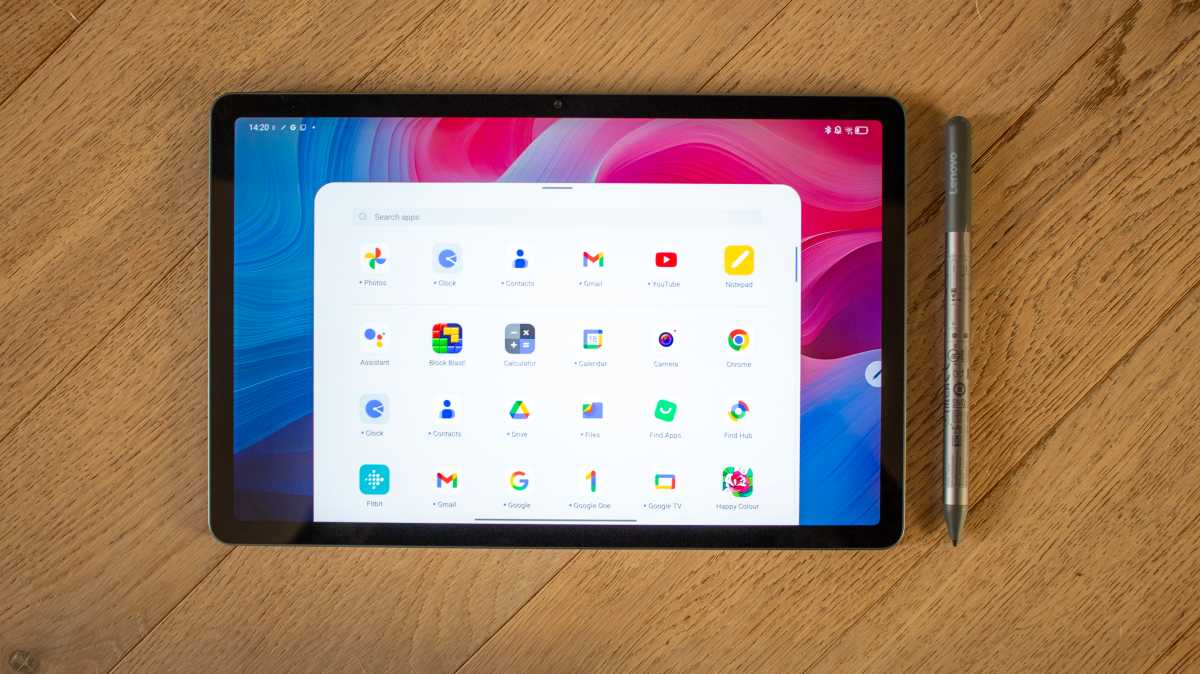
The Lenovo Idea Tab runs on Android 15 with the Lenovo ZUI 17 software overlay on top. There are a number of pre-loaded apps from Lenovo Vantage to Nebo, so if you want a cleaner software experience, the first thing you might want to do is delete a few of the apps you don’t think you’ll use.
Lenovo only offers two years of software updates, through to Android 17
On the whole, the software experience is a good one. It’s close enough to stock Android (aside from a few little tweaks here and there) and it’s nice and easy to use. As with most tablets these days, artificial intelligence promises to make your life easier and the Idea Tab comes with a couple of tricks to do that.
Britta O’Boyle
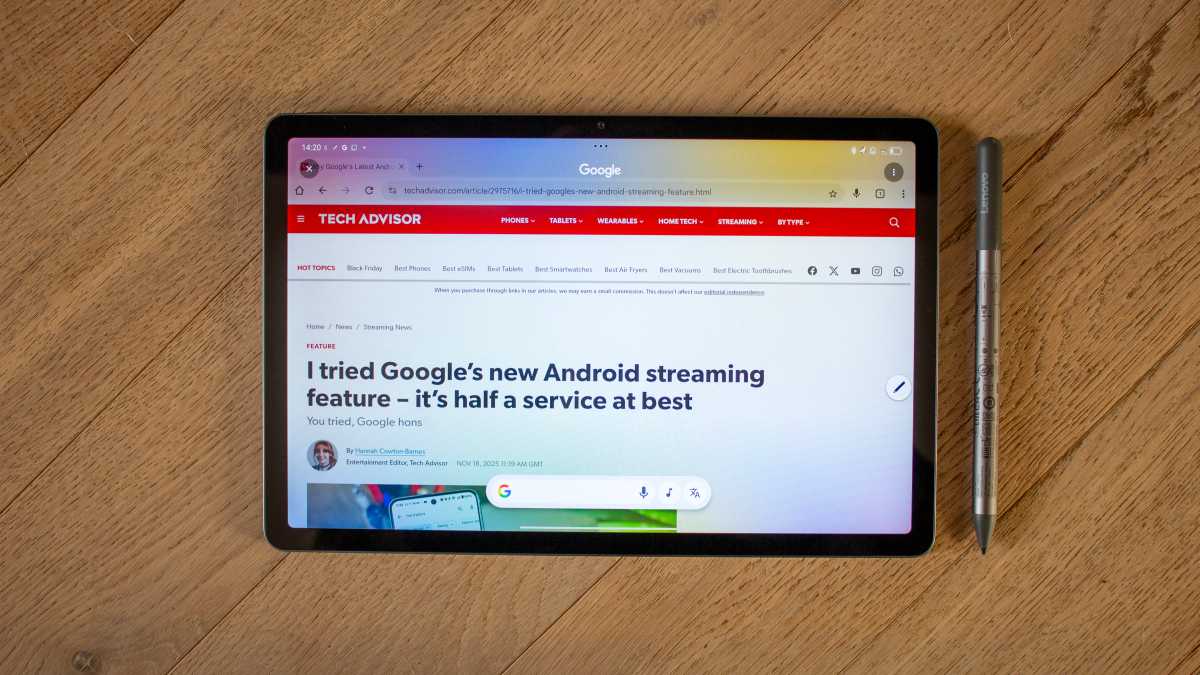
It supports Google’s Circle to Search, which allows you to circle anything on your screen, either with your finger or the Tab Pen and be presented with relevant search results. It’s handy for finding out things like what trainers your friend is wearing in an Instagram picture. There’s also the option to directly translate a web page without leaving an app, which was handy and worked well.

Britta O’Boyle
Elsewhere, there’s a preloaded app called Squid for freeform notes, Nebo for structured writing, and diagrams and MyScript Calculator for solving equations in real time. Within the Lenovo AI Note app, there is also an AI Writing feature that will help you summarise notes, rewrite or continue writing.
The one thing to note aside from all the features is that Lenovo only offers two years of software updates, through to Android 17. It means you’ll get a couple of years of new features but beyond that, you’ll have to make do with what you have. Four years of security updates are promised however, which should at least make this tablet secure for a little longer.
Price & Availability
The Lenovo Idea Tab with Tab Pen starts at £209, though at the time of writing, it’s available starting at £129 (from Amazon) or £159 from Lenovo, making it very reasonably priced for what it offers. It comes in two storage options of 128GB and 256GB, both of which have 8GB memory.
You can bundle the Idea Tab with a keyboard instead of a pen or with a keyboard and adapter. Browse all options at Lenovo. The Idea Tab is also available through other retailers, including Amazon and Argos in the UK.
In the US, you can currently buy it from Amazon from $209.
Britta O’Boyle
Should you buy the Lenovo Tab with Tab Pen?
If you’re looking for a budget Android tablet that offers a premium design and can do everyday tasks well, the Idea Tab with Tab Pen is a great buy. It’s not the fastest in terms of performance and the Tab Pen isn’t the most precise despite being responsive, but this compact tablet has a great build quality, good display, decent speakers and a solid battery life.
For the money, it’s a great tablet and one that’s more than up to the task of everyday productivity. If you’re after a tablet for gaming, I would look elsewhere but as a cheap productivity companion, the Idea Tab is a serious contender in the budget tablet market and one worth your consideration.
Specs
- Android 15 with Lenovo ZUI 17
- 11-inch IPS, 90Hz
- 2560 x 1600 (274ppi)
- Four-speaker audio
- Passcode, Face Recognition
- 128GB/256GB
- Up to 1TB expandable storage via microSD card
- 8GB RAM
- MediaTek Dimensity 6300
- 5G (optional)
- Wi-Fi 5
- Bluetooth 5.2
- 8Mp auto focus rear camera
- 5Mp fixed focus front camera
- USB-C port
- 254.6 x 166.2 x 6.99mm
- 480g
- 7040mAh
- 3.5mm headphone jack
- Available in Luna Grey and Polar Blue
Link do Autor