
At a glance
Expert’s Rating
Pros
- Huge battery life
- High-quality display
- Unique colours and textures
Cons
- Messy AI experience
- Bloatware
- Short update offering
Our Verdict
The Edge 70 Fusion strengthens Moto’s affordable phone offerings with a huge battery for the money. Paired with decent performance and a great display, there’s a lot to love about the Edge 70 Fusion. But Motorola’s AI offering and leaning towards bloat is dragging things down.
Price When Reviewed
This value will show the geolocated pricing text for product undefined
Best Pricing Today
Best Prices Today: Motorola Edge 70 Fusion


It’s hard to think of a simple summary of Motorola’s Android offering, with the Razr being the obvious success, especially in the US, where it holds over 50% market share according to IDC. With its premium offering now in the Motorola Signature, the Edge line-up has had a bit of a shuffle.
That gave us the Edge 70 as a slimline offering, the Edge 70 Pro at the top and the Edge 70 Fusion in the middle. Whether there will be an Edge 70 Neo remains to be seen. It doesn’t end there, with the Edge 70 Fusion distinctly split into two models: one with a 5200mAh battery – very much like the Edge 60 Fusion – and one with a 7000mAh battery, which is a lot more exciting.
I have been using the Edge 70 Fusion as my main phone for the past few weeks to get a measure of this big battery bargain.
Design & Build
- Pantone colours with Nylon and linen textures
- Plastic frame
- IP68 and IP69 water and dust resistance
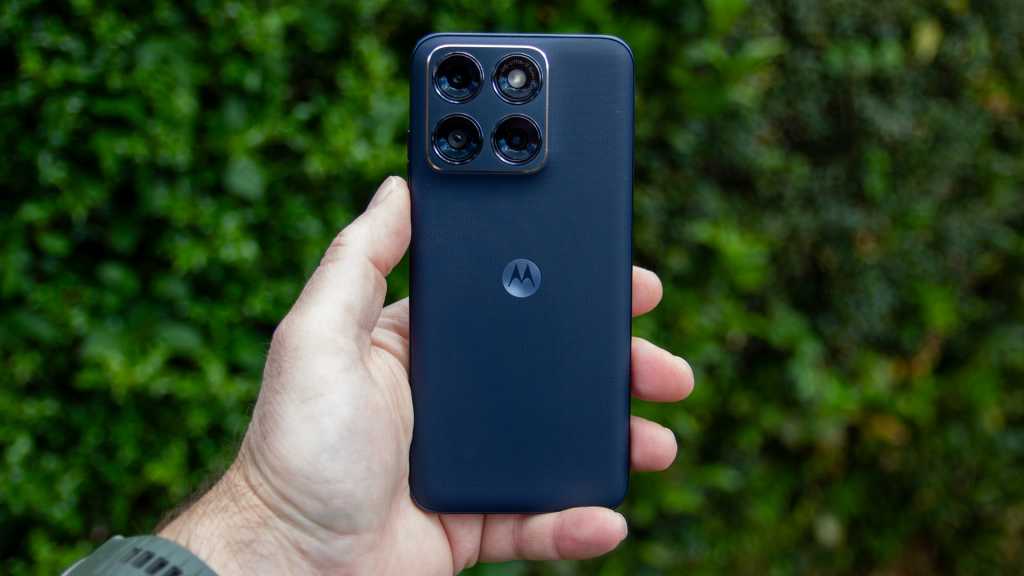
Motorola’s design approach is consistent, with its full range of Edge devices having a similar aesthetic. That’s been the case for a couple of years, a gradual evolution that sees the Edge 70 Fusion looking slightly more premium than the Edge 60 Fusion.
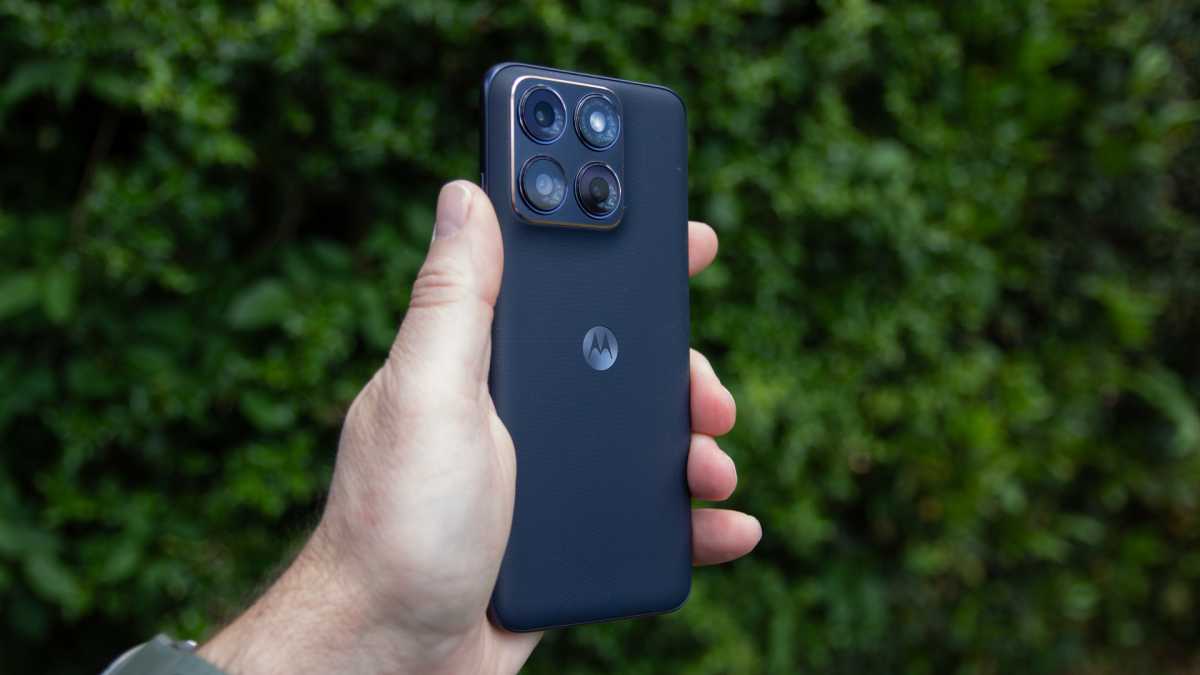
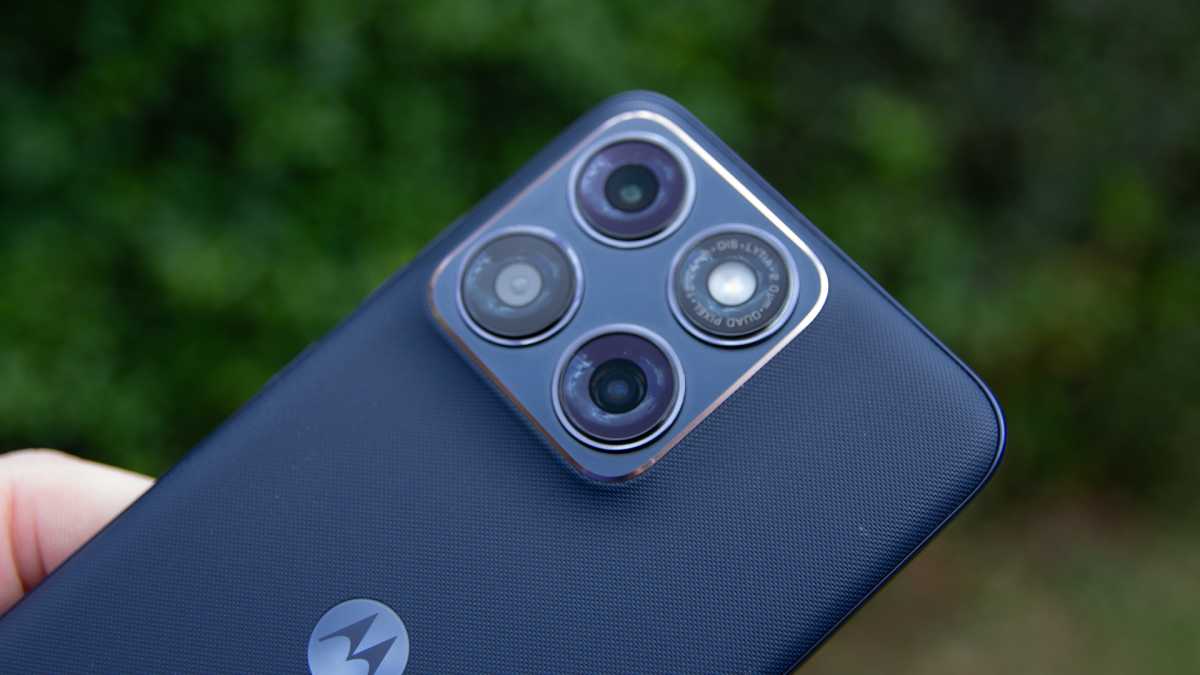
The camera bump on the back now has a glossy finish, with a chamfered edge to add a little more bling. The design is dominated, however, by the use of Pantone colours and interesting textures. It’s not just glass or plastic on the back.
if you want an interesting colour, you have to buy the smaller battery version, which is very disappointing
This is one of the most interesting things about Motorola’s phones, with the company pitching a fashion angle rather than it just being about industrial design, which is what you get from Samsung.
The Edge 70 Fusion comes in Pantone Country Air (light blue), Pantone Sporting Green (my favourite), Pantone Orient Blue and finally Pantone Silhouette. That’s great, but only the Silhouette is available for the 7000mAh model.
That means that if you want an interesting colour, you have to buy the smaller battery version, which is very disappointing.

Chris Hall / Foundry
The textures are inspired by nylon and linen, which lend a natural grip to devices and avoid fingerprints. Otherwise, the Edge 70 Fusion curves towards the plastic frame both from the display and the rear, a design that Motorola seems to have offered for a number of years.
There’s decent protection for this device, with an IP69 rating against water and dust, as well as MIL-STD 810H drop protection. That’s now fairly common on mid-range phones, but great to have at this price.
Screen & Speakers
- 6.78-inch pOLED display
- Stereo speakers
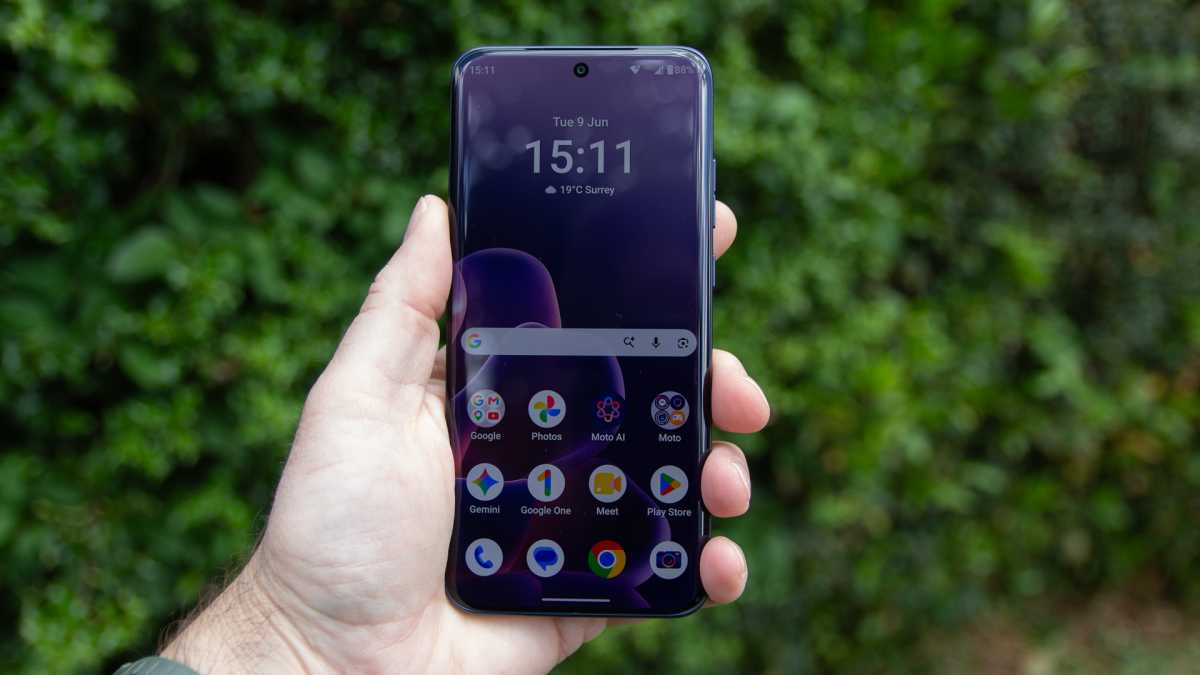
The 6.78-inch OLED display is a key highlight of the Edge 70 Fusion. As I said in the design section above, the edges curve towards the frame, a design which is perhaps a little dated and isn’t great for gamers because there’s a little bit of the screen you can’t use.
But it offers a high resolution at 2772 x 1272 pixels (450ppi), along with a refresh rate up to 144Hz. Before you get too excited about that, the highest refresh rate is reserved for compatible games, with normal settings giving you access to 120Hz.
the display on the Edge 70 Fusion is excellent and definitely a highlight of this device
The peak brightness has been pushed to 5200 nits, which is really bright, although this peak brightness only comes through when viewing HDR content. The phone is listed as supporting HDR10+, although I didn’t find support in any streaming apps to test that.
Likely exposure to HDR will come from the camera, with Google’s UltraHDR supported in images, meaning there’s an additional boost to bright highlights. In normal use, I found the screen bright enough to still be visible on sunny days. Colours are nice and vibrant – the options to tune the screen to “natural”, “radiant” or “vivid” preferences.
Chris Hall / Foundry
In short, the display on the Edge 70 Fusion is excellent and definitely a highlight of this device.
With Dolby Atmos emblazoned across the top frame of the phone, the stereo speakers have a lot to live up to. The performance is reasonable, with most of the volume coming from the speaker on the base of the phone, with the ear speaker supporting it.
The speakers are fine for gaming and ad hoc video conferencing or movie watching, but easily bettered by connecting headphones. There are additional settings in the menus to tailor the sound slightly, but I found “smart audio” to be the best solution.
Specs & Performance
- Qualcomm Snapdragon 7s Gen 3
- 8GB of RAM
- 256GB storage
One of the upgrades on the Edge 70 Fusion is a move away from MediaTek in favour of the Snapdragon 7s Gen 3.
This will be more appealing to many prospective buyers, with the Snapdragon name having a certain cachet for many consumers. However, it’s worth noting that this isn’t the latest Snapdragon 7s Gen 4, which you’ll find in phones such as the Nothing Phone (4a), though there’s not a huge difference in perceivable performance between the two.
the hardware lacks the additional power to really bring the best out of gaming
The Edge 70 Fusion is only available with 8GB RAM, and I found that it benefitted from using the RAM extension function, where I added 12GB to boost the performance. It’s worth trying if there are any specific areas where you think the phone is struggling.
Chris Hall / Foundry
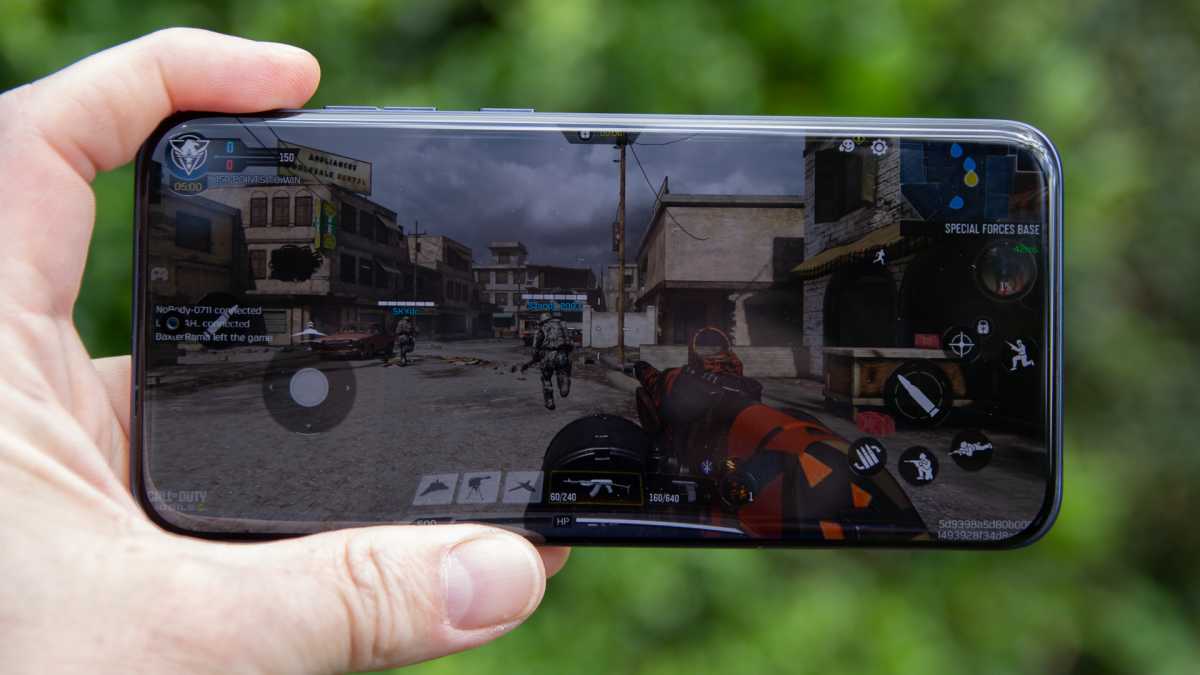
I found that day-to-day use was smooth, with my sessions on Call of Duty: Mobile being generally uninterrupted, but the hardware lacks the additional power to really bring the best out of gaming. While it will run smoothly, it puts a bit more of a demand on the phone with some heating towards the top of the device, especially at higher quality settings.
Where previously there was support for Micro-SD storage expansion on Fusion models, that’s no longer an option on the Edge 70 Fusion. I also found the Wi-Fi would occasionally drop inexplicably, although it’s difficult to know if that’s something to do with the device, or just this phone complaining about my home network.
Motorola Edge 70 Fusion benchmarks
Cameras
- 50Mp f/1.8 main
- 13Mp f/2.2 ultrawide
- 32Mp f/2.2 selfie
The cameras on the Edge 70 Fusion have only really seen one upgrade: a move to the Sony Lytia 710 sensor as the main lens. It’s an incremental update, and means that camera performance is largely the same.
In general, you can expect attractive, natural-looking images with decent brightness. However, you can easily apply one of Motorola’s filters if you want more saturation and pop.
Chris Hall / Foundry
The ultrawide mostly matches the colour tone of the main camera and avoids the worst of the blurring towards the edges, but it is prone to purple fringing. However, it’s not always the most consistent, with occasional variation in colours that doesn’t make much sense.
On sunny days, I find the ultrawide to be brighter than the main camera. I can only think this is because it uses longer exposures because of its narrower aperture. Sometimes it makes the main camera look a little gloomy, which is the opposite to most phones I’ve tested.
In general, you can expect attractive, natural-looking images with decent brightness
The main attraction of the ultrawide is the macro camera that it supports, giving you a little more focal depth than the main camera thanks to the f/2.2 focal length. This has a wider depth of field, so focus is improved when you’re very close to a subject. It’s a better option than dedicated 2Mp macro lenses, that’s for sure.









However, there’s no telephoto lens here. Although the camera looks like it has three lenses, the third is just a light and exposure sensor to support the main camera.
With no optical zoom, you’re restricted to 2x cropped shots or up to 10x digital zoom. Of course, the further you stray from the 2x, the worse things look, so I’d avoid it.
The 32Mp front camera works well, with options for close, single-person frames or wider ones for group shots.
Portrait mode doesn’t offer the best edge detection I’ve seen, while it turns on beauty features by default, so that’s worth checking before taking your selfies. In bright conditions, the front camera can also overexpose, so that’s something to watch out for.



Video is supported up to 4K 30fps and is generally pretty good. There’s a horizon lock function to help keep your videos level, but it drops the quality a lot, so unless you’re using it in perfect conditions, it’s best to avoid it. That’s a shame, because it’s an impressive feature that’s generally very effective.
Battery Life & Charging
- 7000mAh or 5200mAh
- 68W wired charging
- No wireless charging
The battery life of the Edge 70 Fusion is really exciting. I didn’t test the 5200mAh version, but I expect it offers the same sort of solid performance that we got from the Edge 60 Fusion.
The 7000mAh model, however, is excellent. And best of all, it’s only £10 more expensive than the smaller capacity, which feels like great value for money. While the 5200mAh model is slightly lighter and thinner, I’d take the 7000mAh version any day of the week.
stellar battery life is the single biggest reason to buy the Edge 70 Fusion over rivals
It delivers realistic two-day battery life, meaning you don’t have to worry about charging it every night. When you do come to charge it, there’s 68W wired charging, meaning it’s a fast top-up too. There’s no wireless charging, but given the size of the battery, I’m not bothered about that.
Make no mistake, stellar battery life is the single biggest reason to buy the Edge 70 Fusion over rivals.
Software & Apps
- Android 16 with Hello UI
- Moto AI with Perplexity and Copilot
- 3 years OS updates, 5 years security patches
I have a bit of an ongoing problem with the direction that Motorola is moving with its software.
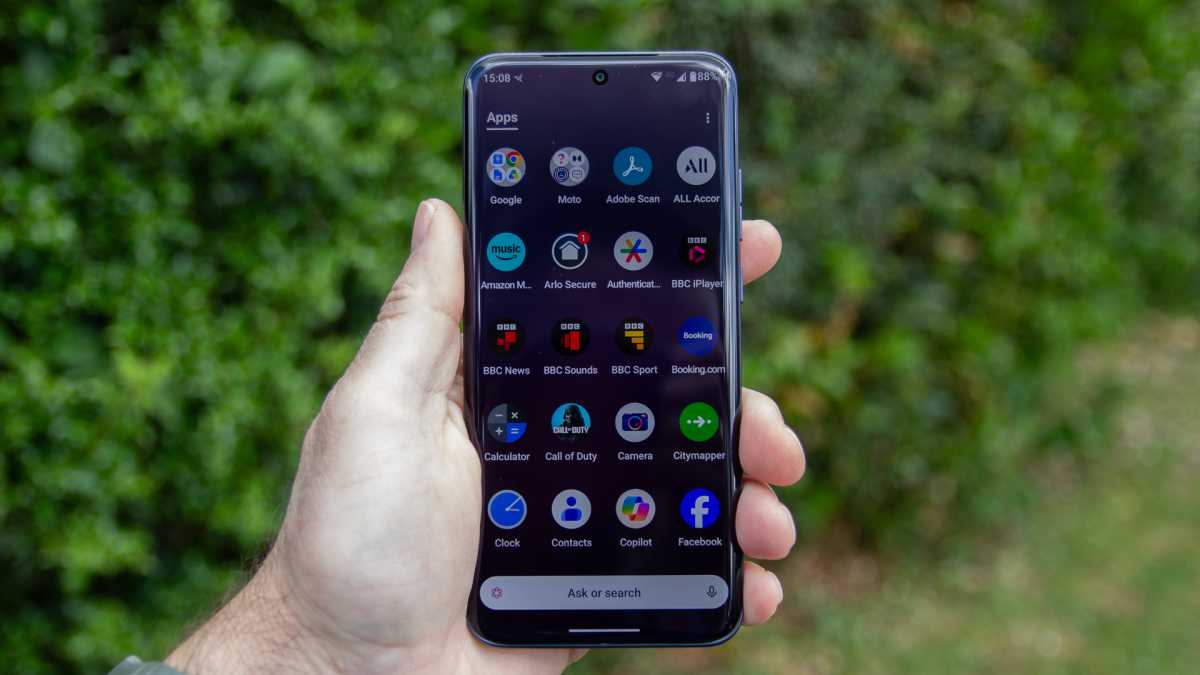
While Moto used to be known for the fairly clean Android offering, that’s no longer the case. The introduction of Moto AI over the last few years has led to duplication, bloat and changes that don’t enhance the experience.
it takes some digging to get a less frantic and cluttered software experience
My biggest bugbear is shifting the search box in the app drawer to be an AI box instead, meaning that when you search, it’s trying to do too many things. It’s so slow that I end up not using it.
Motorola also adds a spammy Newsfeed into the apps tray, which is just clutter – there’s already Google Discover on these phones – but you can toggle it off to avoid it.
Chris Hall / Foundry
Moto AI also struggles for purpose and is an example of Moto trying to own part of the software experience. To access it, you need to sign in with a Moto account; if you don’t, you’ll be prompted to do so any time you interact with anything that’s linked to Moto AI.
Moto AI leverages Copilot, Perplexity and Gemini to deliver results, but I’d happily just stick to Gemini and ignore all the Moto AI additions.
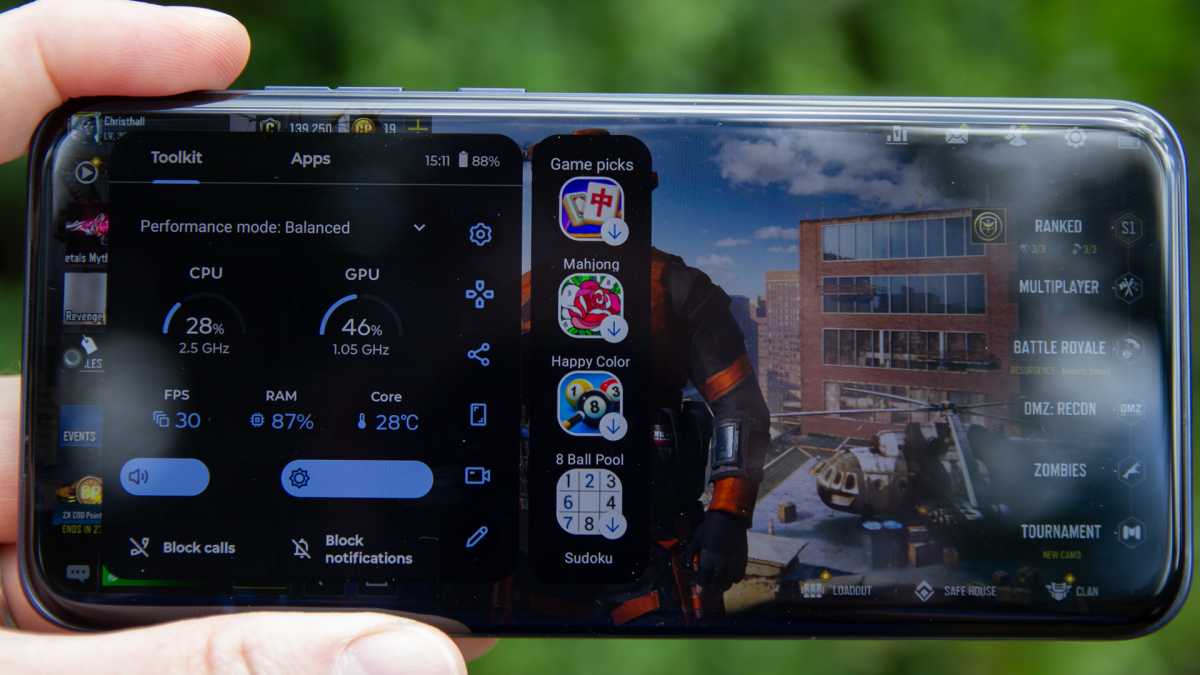
Motorola also doesn’t miss any opportunity to try to get you to install more apps. These are generally sponsored, but you’ll find they are suggested all over parts of the UI – even in the gaming toolbar. You can turn off a lot of the suggestions, but you’ll still have to sidestep the prompts to install apps during setup.
Chris Hall / Foundry
This is now a common experience across Motorola devices. With some work, you can tame it and turn a lot of it off, but it takes some digging to get a less frantic and cluttered software experience.
While the phone launches on Android 16, there’s only 3 years of OS updates, but 5 years of security updates. However, there’s no word on when it might get the Android 17 update.
If you keep your phone for a long time, you won’t have the latest features, but at least you’re mostly secure.
Price & Availability
The Motorola Edge 70 Fusion costs £379.99 for the 7000mAh version, although it’s reduced at the time of writing to £329.99 – and that includes free Moto Buds Loop worth £129.99 on the Motorola UK website.
The 5200mAh version retails at £369.99, but is reduced to £319.99. Sadly, the Edge 70 Fusion isn’t available in the US.
There are a lot of devices in this price bracket, such as the Nothing Phone (4a) and the Samsung Galaxy A37, with Nothing’s phone offering a telephoto camera and Samsung offering 7 years of software updates. But if you’re looking for a big battery, the Honor Magic 8 Lite is a natural rival.
See more great options in our guide to the best mid-range phones.
Should you buy the Motorola Edge 70 Fusion?
Buy the Motorola Edge 70 Fusion for the long battery life that it offers combined with a great display. This is a phone that will outlast many others in typical use because of the option for a 7000mAh battery. While the camera isn’t wildly exciting, it’s good enough for most. And with solid mid-range power, it could be all the phone you need.
There are compromises: the best colours are reserved for the lower capacity phone (which I wouldn’t recommend), there’s lots of bloatware and software changes that detract from the experience, and the software support can’t compete with rivals.
But if you’re looking for a big-battery phone on a budget, the Edge 70 Fusion is a fine choice.
Specs
- 6.78-inch, 144Hz Extreme AMOLED main display
- Qualcomm Snapdragon 7s Gen 3
- 8GB RAM
- 256GB storage
- 50Mp, f/1.8 main camera with OIS
- 13Mp, f/2.2 ultrawide camera
- 32Mp, f/2.2 selfie camera
- 7000 / 5200mAh battery
- 68W wired charging
- Stereo speakers
- IP69 water and dust resistance
- Gorilla Glass 7i
- 5G
- Bluetooth 6.0
- 162.76 x 75.60 x 7.99mm (7000mAh) / 162.76 x 75.60 x 7.21mm (5200mAh)
- 193g / 177g
- Android 16